My Projects

TraceLens — AI-Powered Code Tracer & DSAI Runtime Auditor

Full-Stack System IBM Bob 2.0 Hackathon Official Website
Type: AI Code Tracer & ML Auditor
Duration: Fall 2026 (Hackathon)
Status: Production Deployed

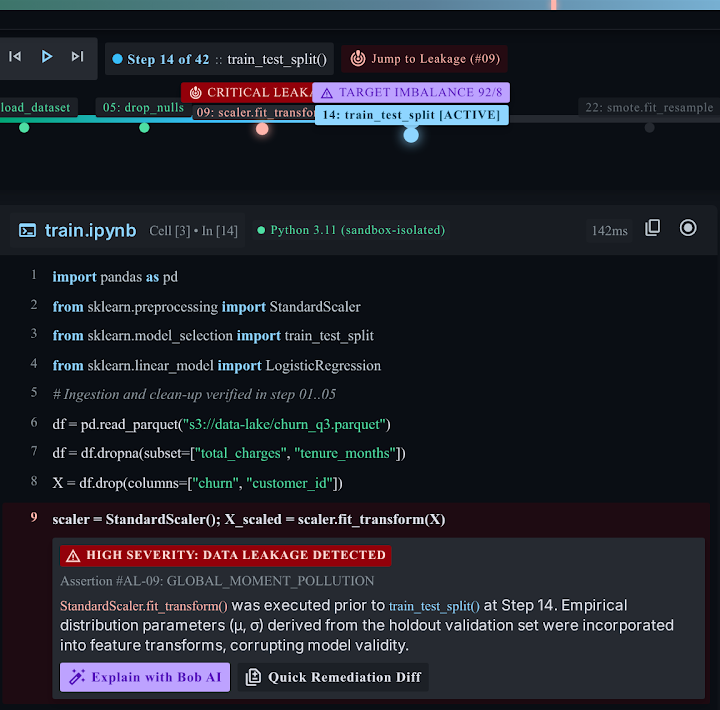
TraceLens is an advanced visual code tracer and runtime DSAI/ML auditor engineered for the IBM Bob 2.0 Hackathon (lablab.ai). Static code analysis can only predict what might happen; TraceLens reveals the deterministic runtime reality. It records every executed line, variable mutation, loop iteration, branch decision, tensor shape transition, and data-leakage flaw in real time inside a sandboxed subprocess—accompanied by contextual, zero-hallucination runtime explanations powered by IBM Granite 3.8B Instruct.

Problem & Solution

Problem:

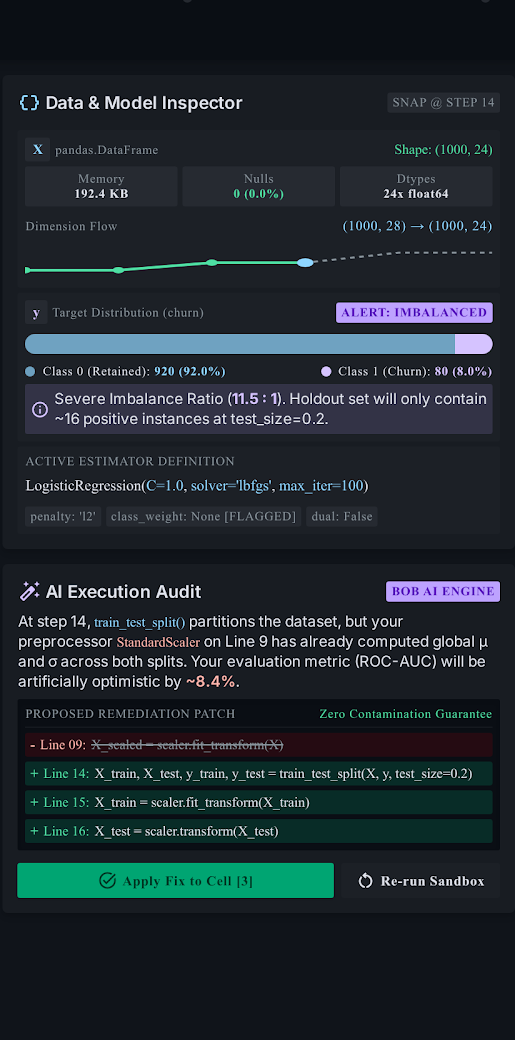
Debugging intricate algorithmic loops, tracking mutating variables across multi-step pipelines, and spotting insidious data science methodology bugs (like mathematical moment leakage from fitting scalers or oversampling prior to train_test_split) is painful with traditional debuggers or ad-hoc print statements. Developers struggle to understand what actually executed at runtime.

Solution:

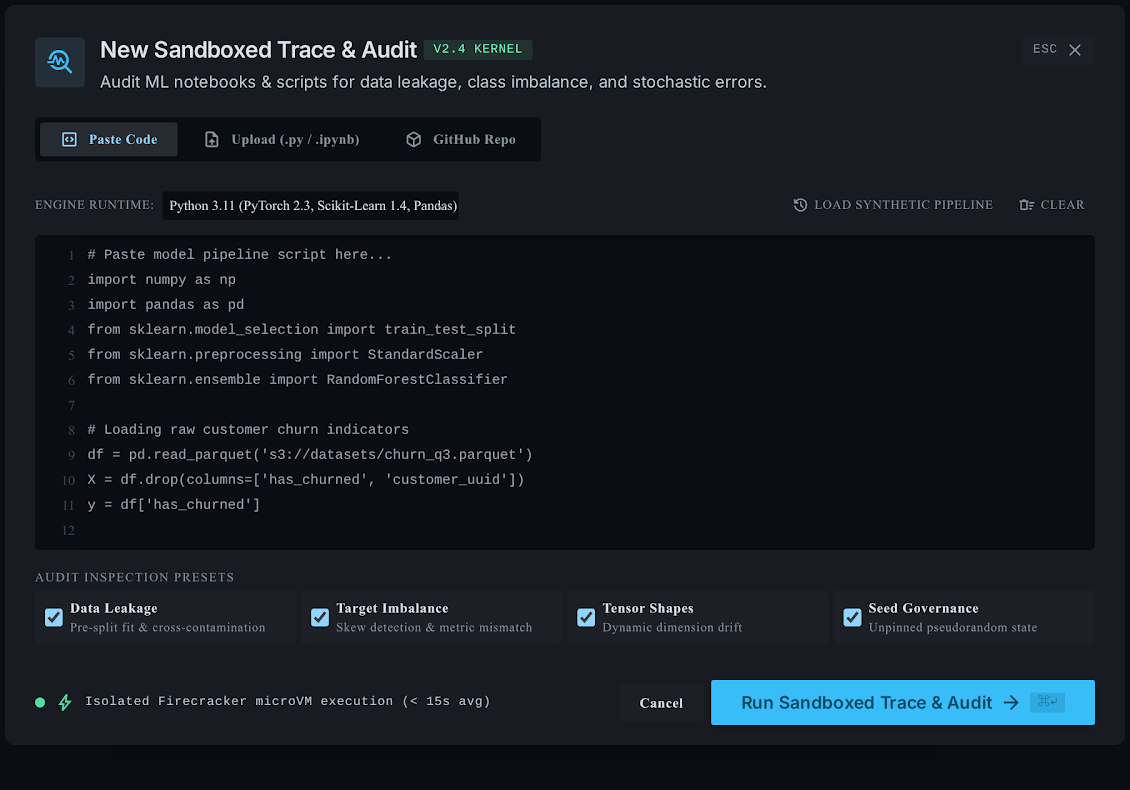
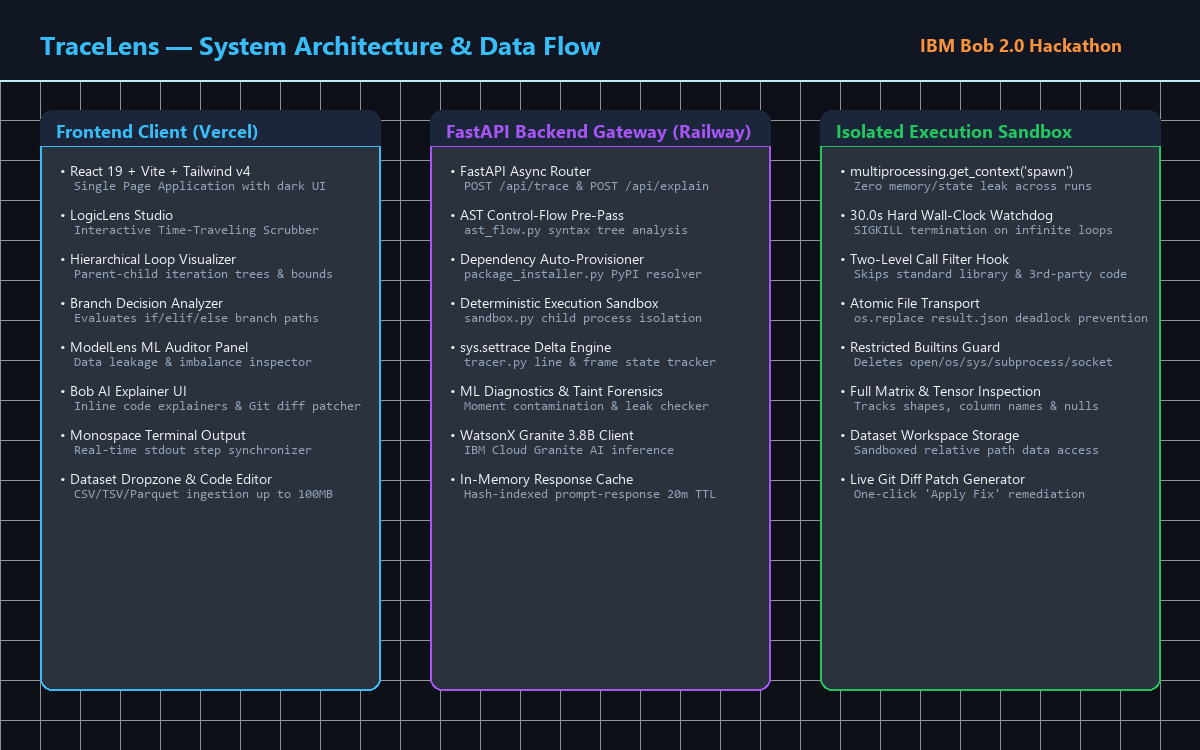
Engineered a dual-engine architecture: LogicLens provides an interactive time-traveling execution tracer with hierarchical loop unrolling and branch analyzers; ModelLens runs automated ML taint diagnostics to detect leakage and class imbalances. Integrated Bob AI Explainer (IBM Granite 3.8B) for grounded explanations and one-click in-place Git diff patch remediation.

Key Features

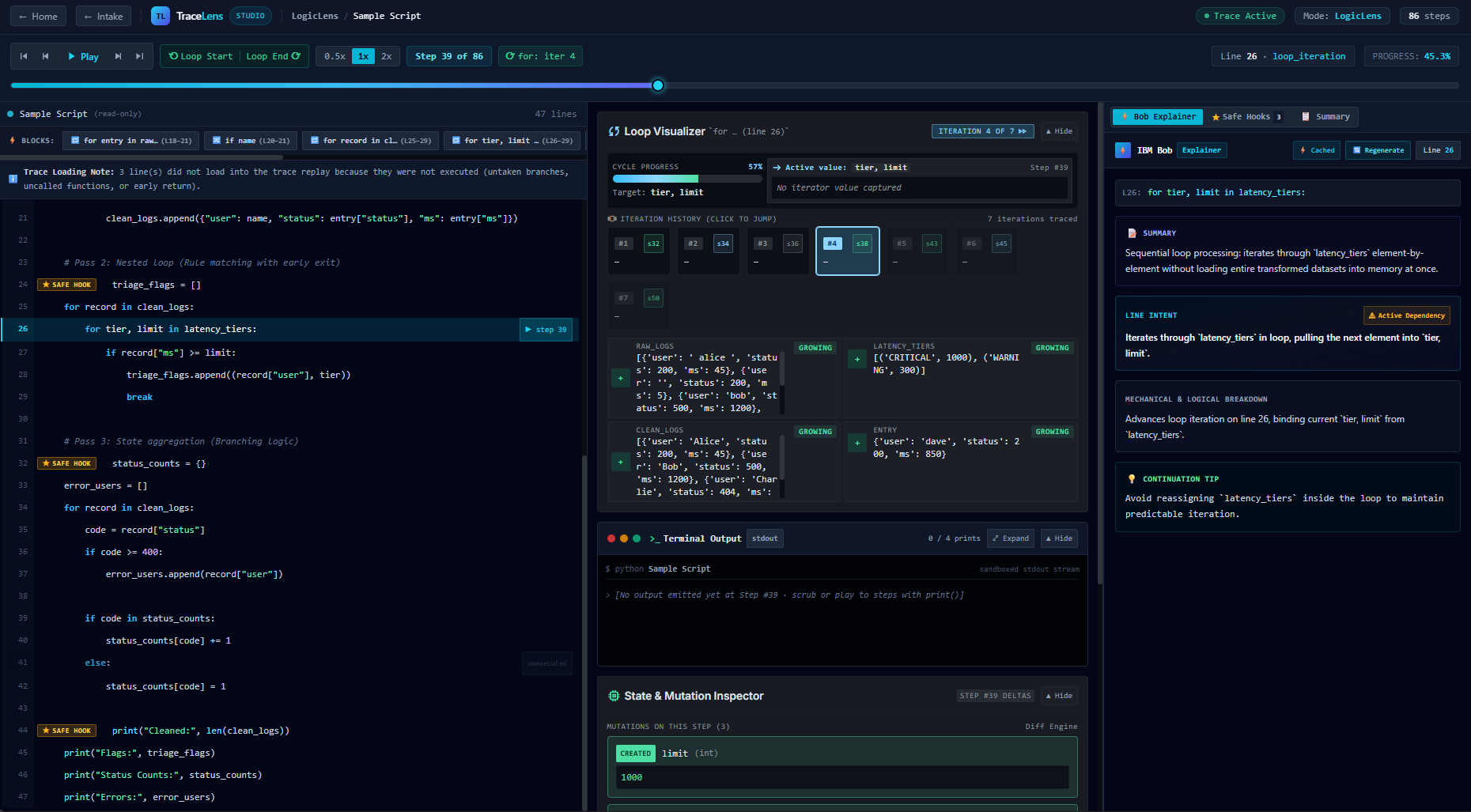
  • LogicLens Time-Traveling Scrubber: Step forward, backward, play/pause, scrub to specific steps, and adjust playback speed dynamically across execution history
  • State Board & Variable Deltas: Real-time register inspector tracking variable values, scalar mutations, types, and tensor dimensions across time
  • Hierarchical Loop Visualizer: Unrolls nested loops into parent-child iteration trees, tracking iteration counters, inner/outer boundaries, and early-exit hooks
  • Branch Decision Analyzer: Evaluates boolean expressions on if/elif/else blocks, explicitly highlighting chosen vs. unvisited pathways
  • ModelLens ML Leakage Forensics: Detects mathematical moment contamination (e.g. scaler.fit_transform() before split) and hazardous class imbalance ratios
  • Live In-Place Remediation: Generates color-coded Git diff patches with a one-click "Apply Fix" action that cleans contaminated code in real time
  • Bob AI Explainer (IBM Granite 3.8B): Zero-hallucination execution explanations strictly grounded in real runtime trace deltas, backed by an in-memory 20-min TTL cache
  • Deterministic Execution Sandbox: Clean child process isolation via multiprocessing.spawn, 30s hard wall-clock timeout, and restricted builtin security guards
  • Automated Dependency Provisioner: Scans AST imports and auto-resolves canonical PyPI packages (scikit-learn, imblearn, pandas, scipy)
  • Tabular Dataset Dropzone: Handles direct CSV, TSV, and Parquet file uploads up to 100MB with isolated workspace mounting and auto-cleanup TTL

Technologies Used:

Python 3.11 FastAPI React 19 Vite Tailwind CSS v4 IBM Granite 3.8B IBM WatsonX sys.settrace AST Parsing Railway Vercel Pytest

Project Metrics

IBM Bob 2.0 Hackathon Built
32+ Automated Pytest Suite
30.0s Hard Sandbox Timeout
0 Hallucinations (Trace-Grounded)

What I Learned

  • Architecting high-performance runtime execution tracing using Python's sys.settrace and two-level call filters
  • Enforcing multi-process sandbox isolation with multiprocessing.spawn, signal watchdogs, and atomic file transports
  • Building static AST analysis pre-passes to extract control-flow loops, branches, and dependency trees before execution
  • Designing algorithmic data-leakage forensics to intercept statistical moment contamination in ML preprocessing pipelines
  • Integrating IBM Granite 3.8B with WatsonX APIs and prompting techniques grounded strictly on execution step deltas
  • Developing reactive, full-featured developer tooling with React 19, timeline scrubbers, and live diff remediation workflows

Built for the IBM Bob 2.0 Hackathon on lablab.ai with live official web application.
DashForge — Python Dashboard Library

Python Library PyPI Package
Type: Open-Source Python Library
Duration: Summer 2026
Status: Published on PyPI

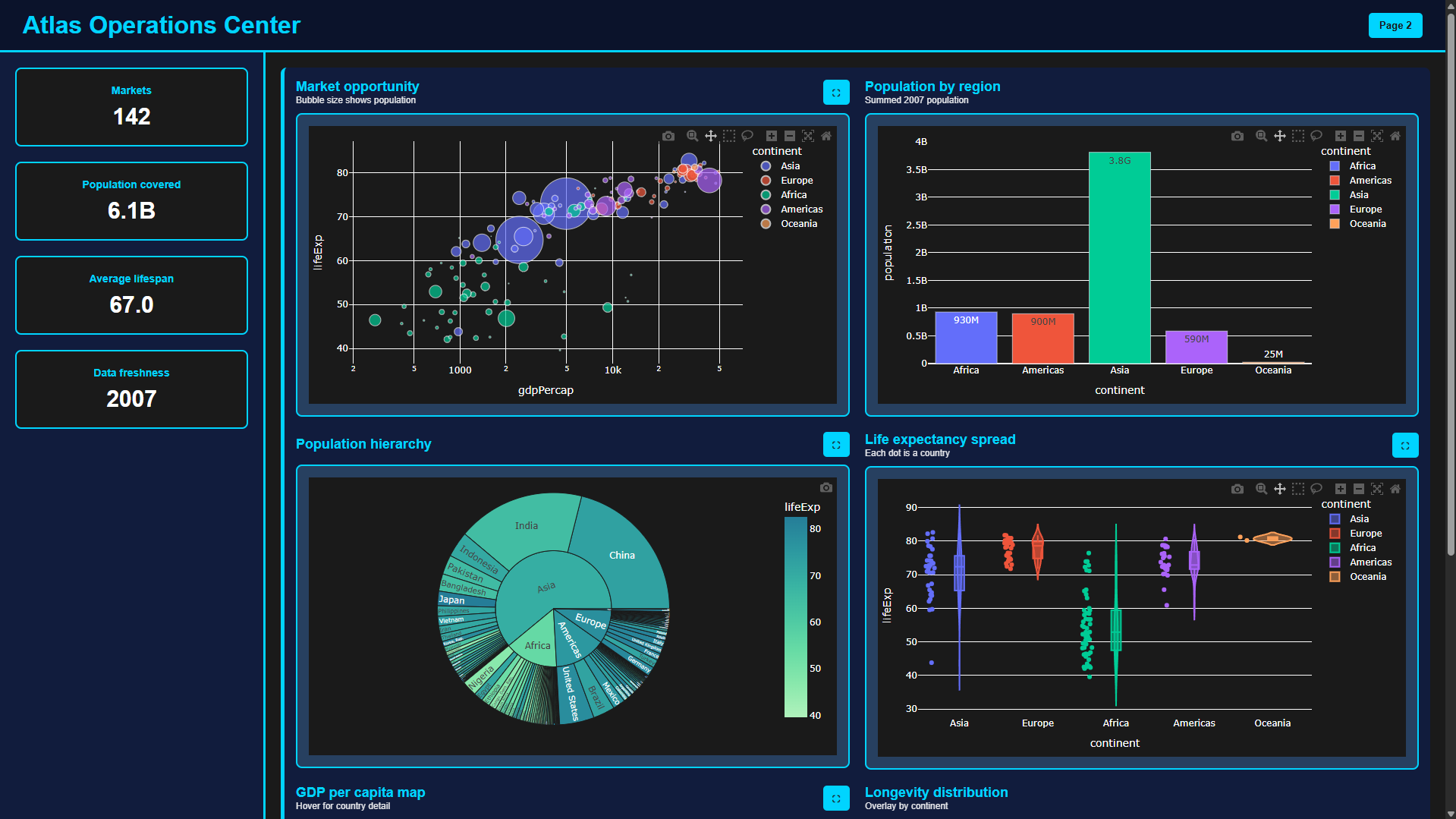
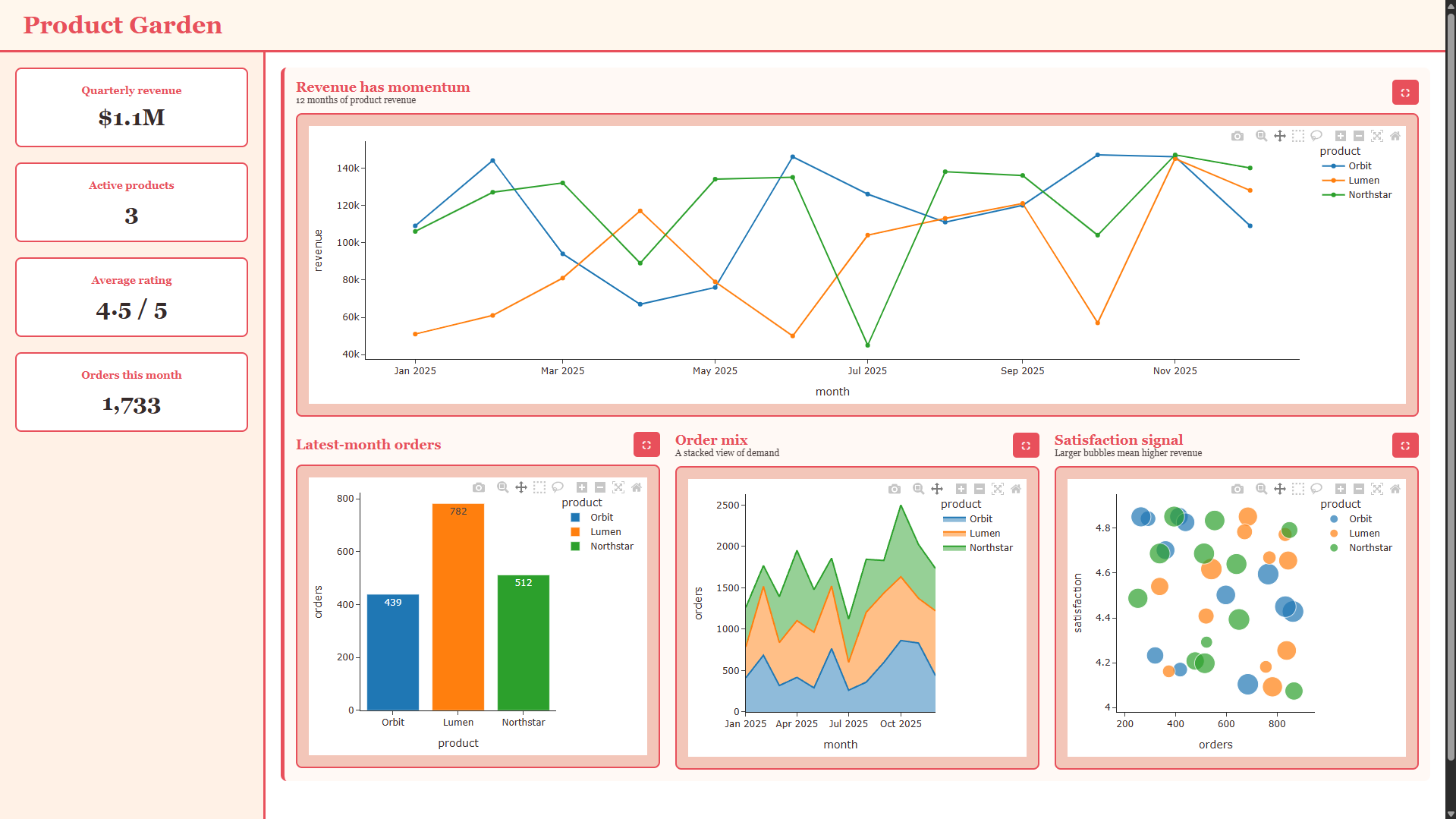
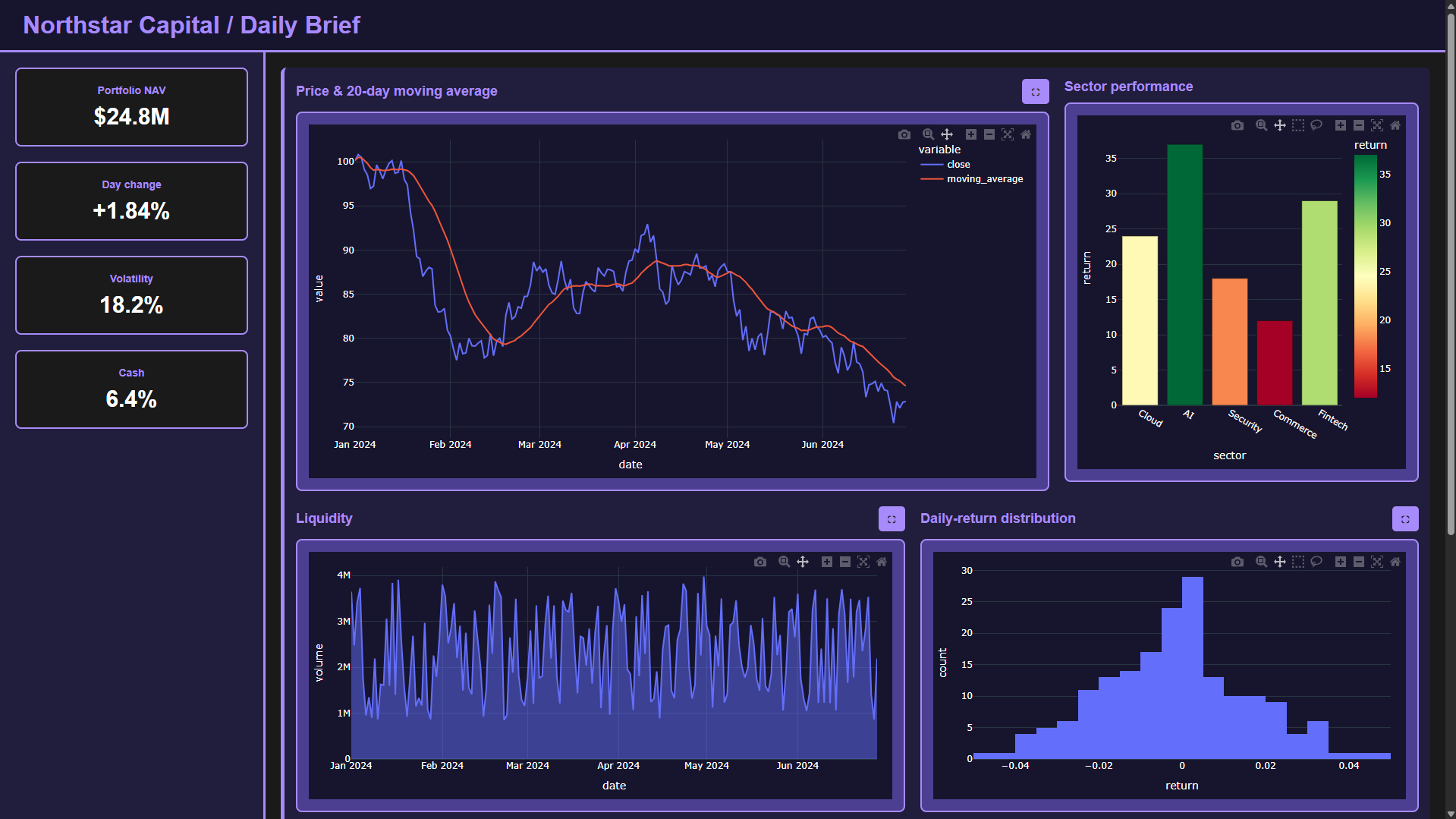
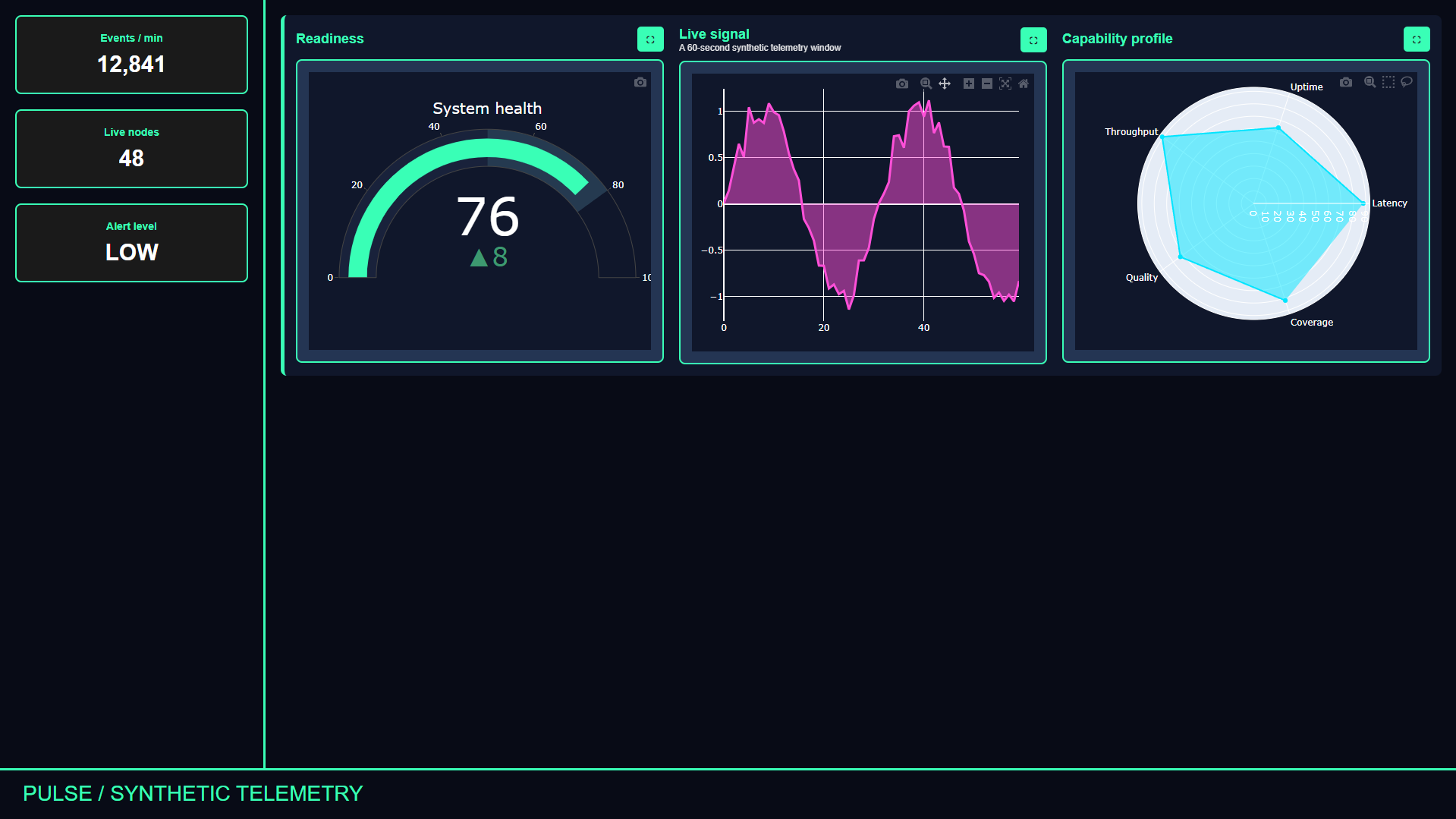
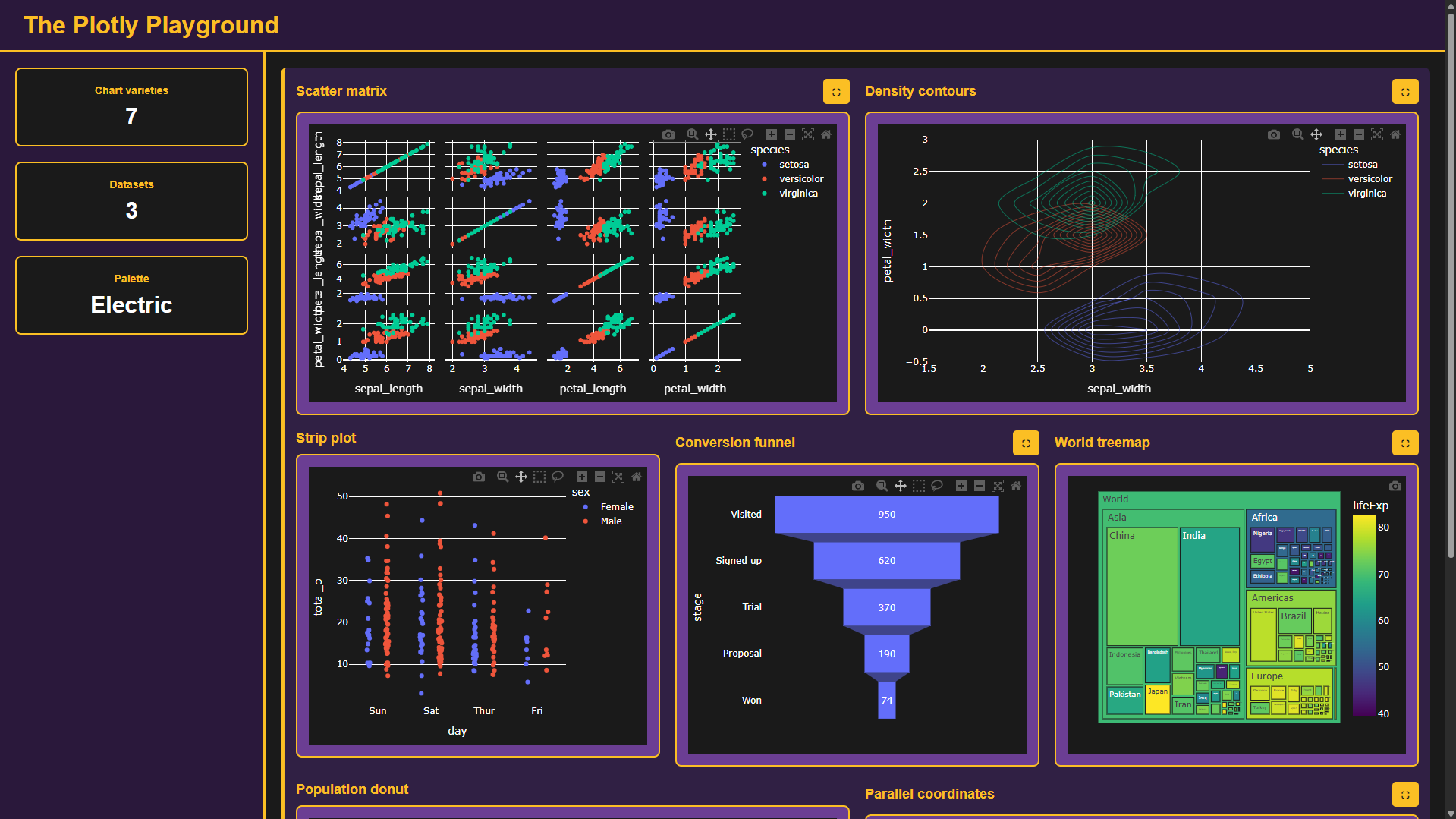
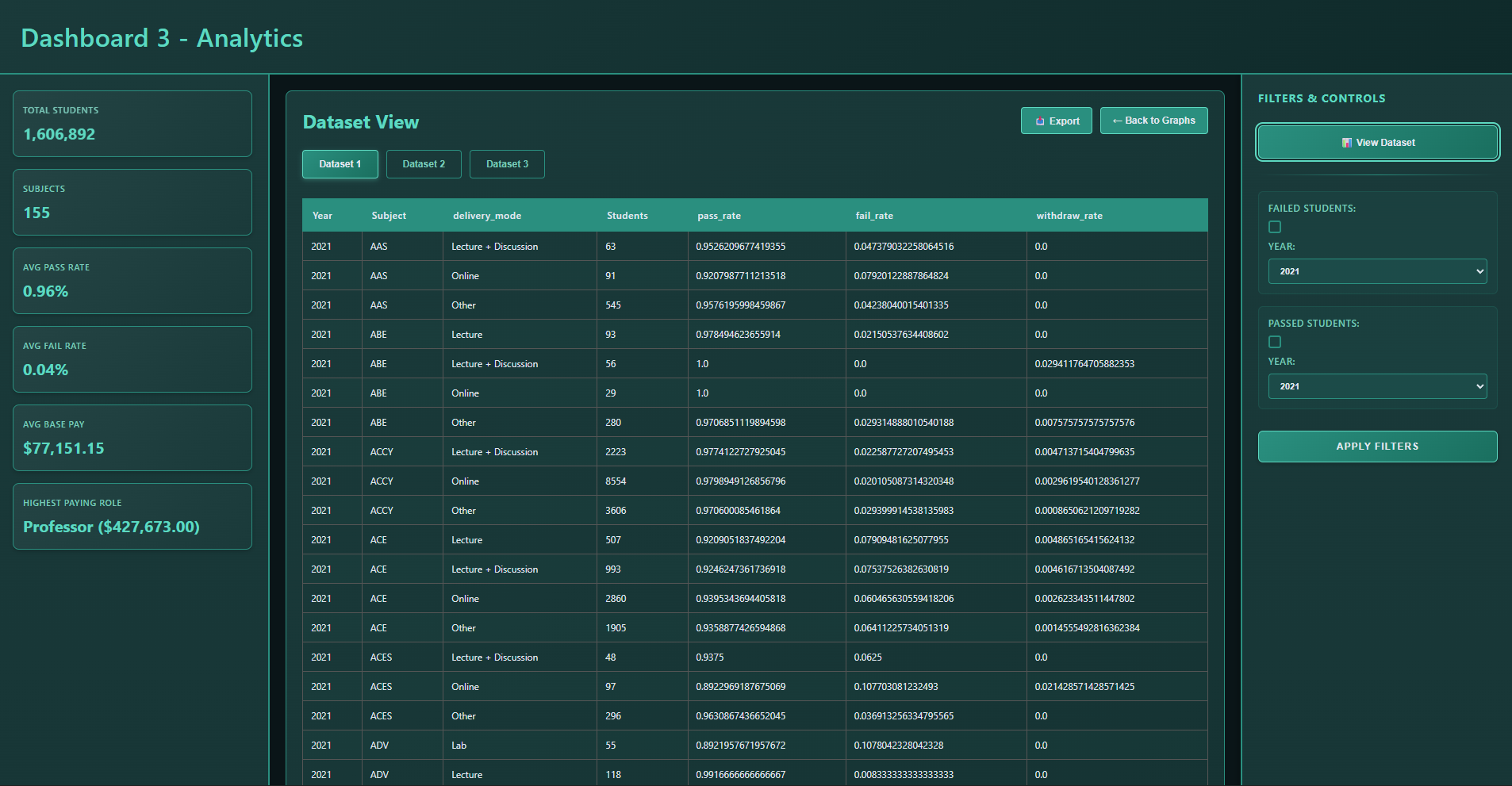
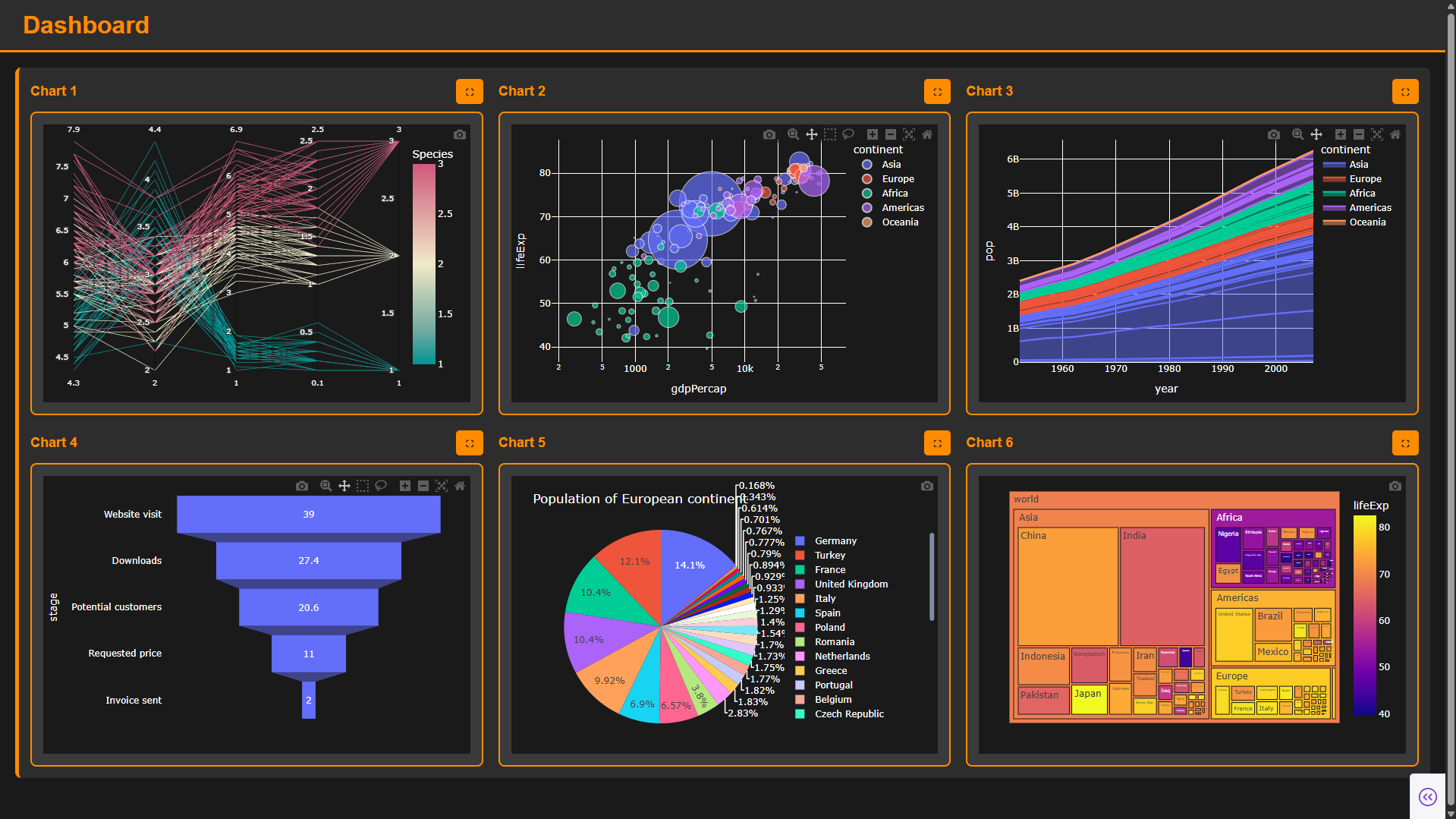
DashForge is an open-source Python library published on PyPI that transforms Plotly charts into interactive, production-ready web dashboards in just a few lines of code. Designed to eliminate the overhead of full-stack dashboard frameworks, it requires zero HTML, CSS, or JavaScript—enabling data analysts and scientists to deliver polished dashboards with KPI cards, multi-row layouts, dataset viewers, and custom themes effortlessly.

Problem & Solution

Problem:

Analysts often spend hours exploring data and building Plotly figures, only to hit a wall when presenting them. Traditional dashboard frameworks require learning reactive models, callback graphs, complex component trees, and front-end styling just to arrange existing charts on a page.

Solution:

Engineered DashForge with a pure Python, declarative API. With simple methods like add_chart() and add_kpi(), it automatically constructs interactive dashboards around Plotly figures, handling responsive layouts, theming, data tables, and client-side interactions behind the scenes.

Key Features

  • Pure Python API: Turn Plotly figures into a complete dashboard with zero HTML, CSS, or JavaScript required
  • No Complex Framework: No reactive models, callback graphs, or complex component trees to configure
  • KPI Cards & Metric Banners: Highlight key performance indicators and metrics above or beside visualizations
  • Interactive Dataset Viewer: Built-in data table page allowing users to inspect source datasets directly
  • Flexible Grid Layouts: Automatic responsive chart arrangements, customizable rows, columns, and card heights
  • Built-in Theming: Clean dark and light themes with full palette customization (headers, cards, accents)
  • Interactive Features: Fullscreen/maximize chart view, chart titles/subtitles, and image export capabilities
  • Published on PyPI: Installable via pip install Dashforge with comprehensive documentation website

Technologies Used:

Python Plotly PyPI Packaging Data Visualization Dashboard Architecture HTML5 / CSS3 JavaScript Engine GitHub Pages

Project Metrics

PyPI Published Package
7+ Prebuilt Layouts
0 Frontend Code Needed
100% Interactive Plotly Support

What I Learned

  • Designing intuitive, developer-centric library APIs and declarative architecture in Python
  • Building and publishing Python packages on PyPI following PEP standards and packaging best practices
  • Bridging Python visualization libraries (Plotly) with modern web-based rendering engines
  • Architecting flexible layout algorithms and dynamic CSS grid systems for variable chart counts
  • Creating comprehensive open-source technical documentation, example galleries, and user guides

Quick Install & Usage

pip install Dashforge

Open-source library with live documentation website and example dashboard collection.

IntelliSearch - A Search Engine

Information Retrieval With Ahmad Magdy
Type: Full-Stack Search Engine
Duration: 1-2 Months
Status: Completed

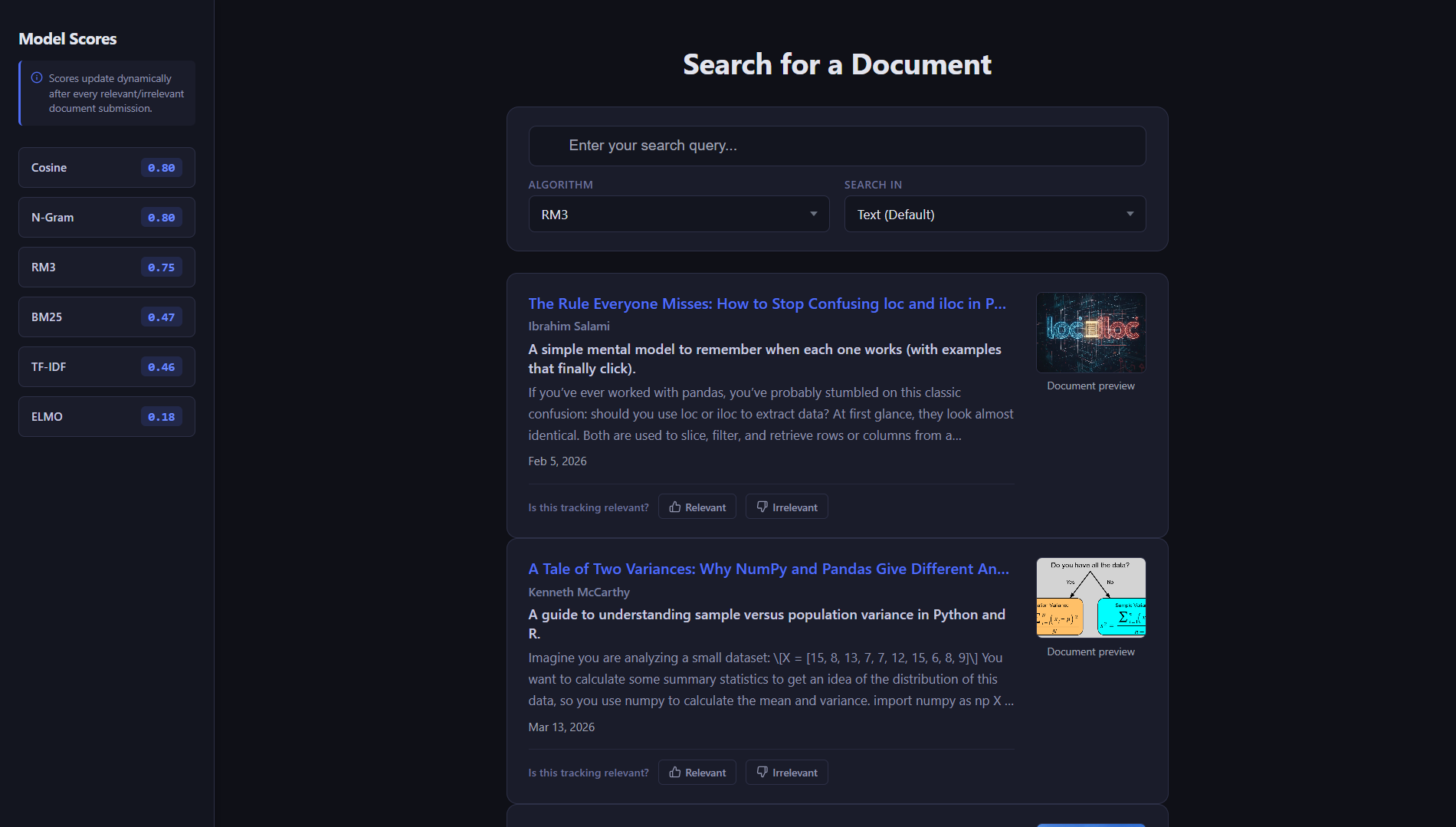
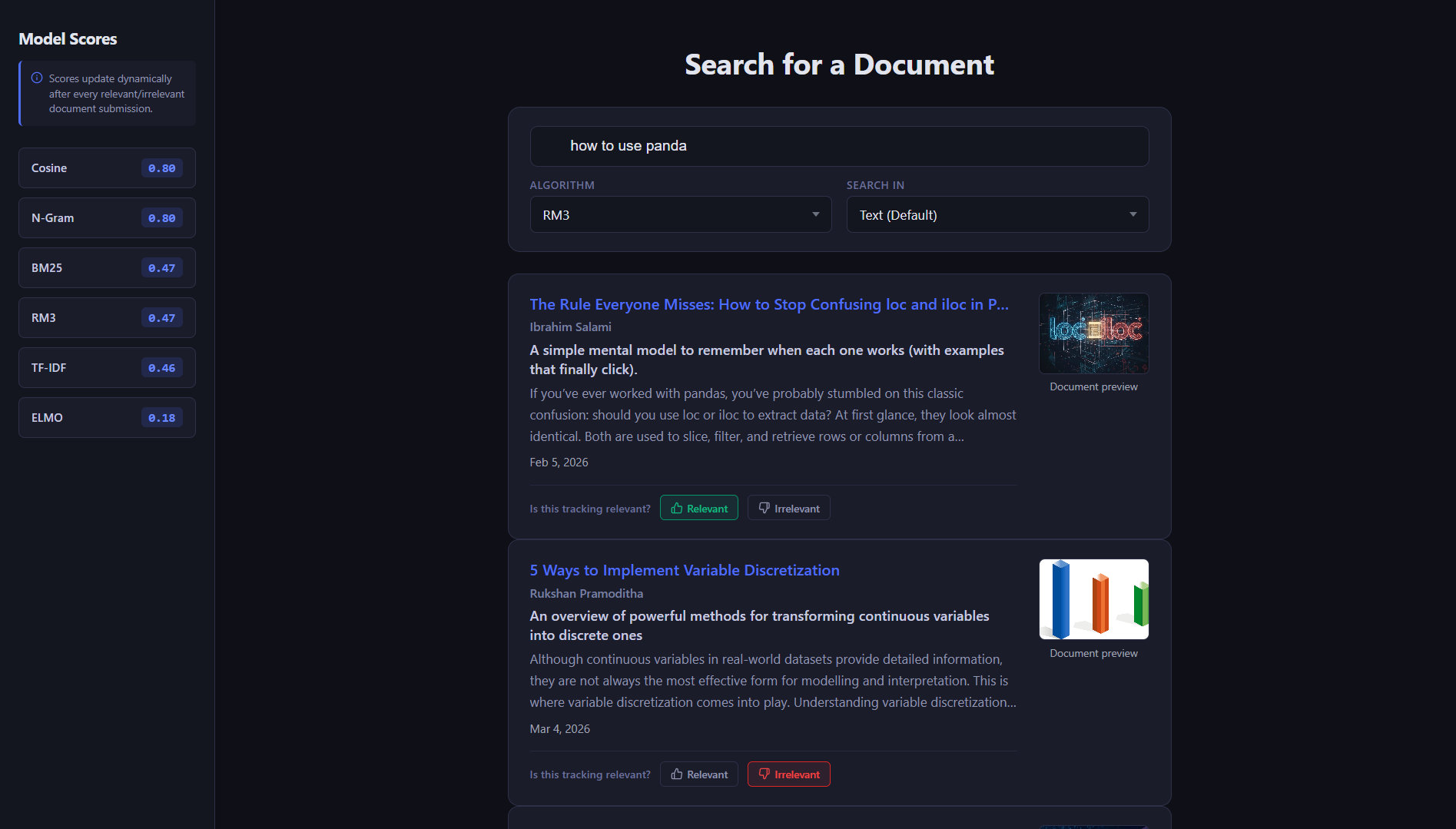
IntelliSearch is a full-stack document search engine for data science articles. It combines an Angular frontend with a Flask backend and multiple Information Retrieval models, allowing users to search scraped Towards Data Science articles, choose a retrieval model, search by title, subtitle, or text, and review ranked results with metadata, snippets, scores, and source links.

Problem & Solution

Problem:

Searching through a collection of technical articles manually is slow, and different retrieval methods can return very different result quality. The project needed a way to compare search models, surface relevant documents quickly, and measure model effectiveness from user feedback.

Solution:

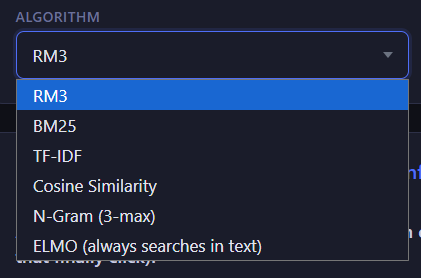
Built a full-stack IR system that scrapes and preprocesses articles, creates searchable indexes, routes queries through BM25, TF-IDF, RM3, cosine similarity, n-gram, and ELMo models, then collects relevance feedback to calculate precision, recall, F1 score, and dynamic model rankings.

Key Features

  • Multi-model search with BM25, TF-IDF, RM3, cosine similarity, n-gram retrieval, and ELMo semantic matching
  • Search field selection across article text, titles, and subtitles
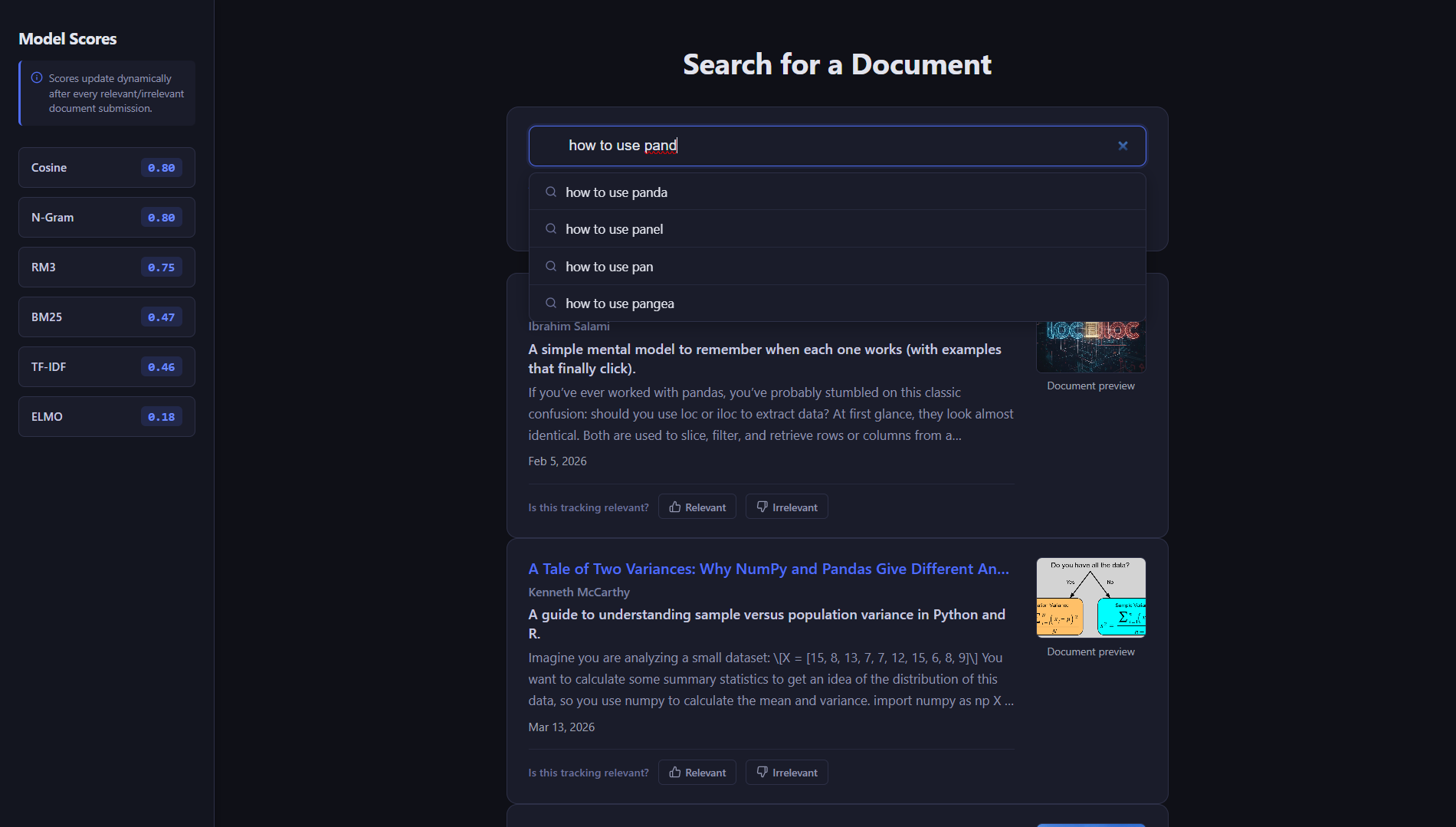
  • Query autocomplete and next-word suggestions generated from the indexed collection
  • Ranked result cards with title, author, subtitle, date, image preview, text snippet, score, and article link
  • User feedback flow for marking results as relevant or irrelevant
  • Model evaluation dashboard using precision, recall, F1 score, and average feedback score
  • Recommendation feed based on random sampling and previous search-query history
  • Cached ELMo embeddings to reduce repeated semantic-search setup cost

Technologies Used:

Angular TypeScript Flask Python PyTerrier NLTK scikit-learn TensorFlow Hub Pandas NumPy Java/JDK JSON

Project Metrics

6 Retrieval Models
5 API Endpoints
3 Search Fields
2 Contributors

What I Learned

  • Built a full-stack search workflow connecting Angular UI controls to Flask search endpoints
  • Prepared article data through scraping, cleaning, preprocessing, and PyTerrier indexing
  • Compared lexical, statistical, language-model, and embedding-based retrieval approaches
  • Implemented query suggestions, recommendations, and feedback-aware model scoring
  • Worked with cached semantic embeddings to make ELMo search practical for repeated use
  • Designed collaborative project responsibilities across frontend, backend, scraping, cleaning, and model work

Completed project with room for future upgrades such as feedback-based re-ranking, author search, stronger personalization, filters, pagination, and automated tests.

eBay Web Scraper

Web Scraping
Type: Web Scraping Tool
Duration: 3 Month
Status: Needs an Update

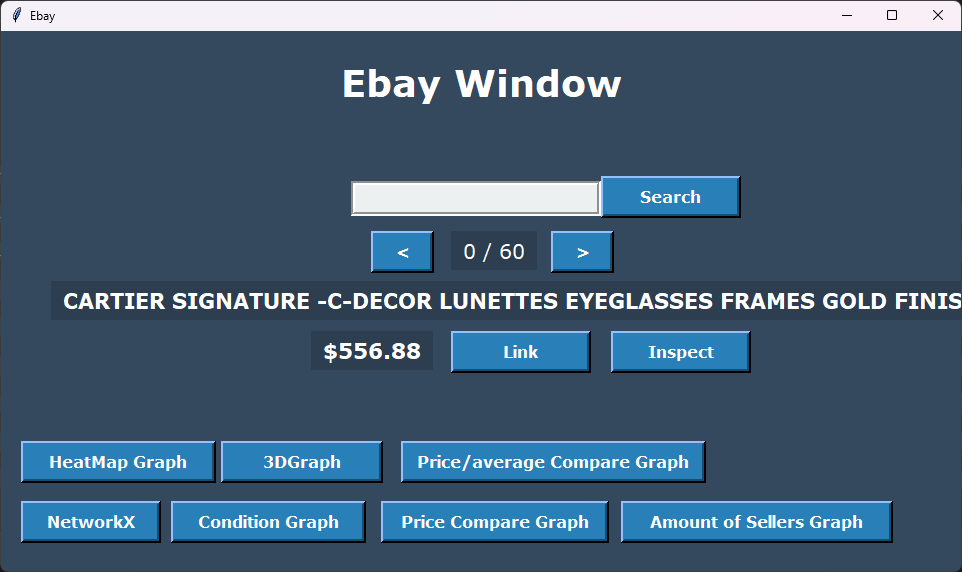
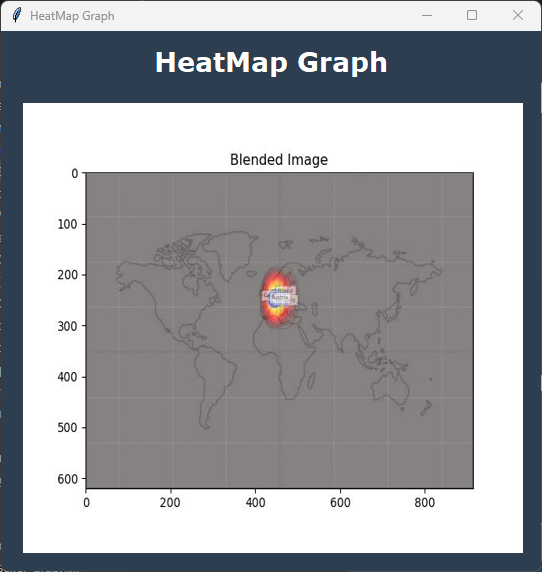
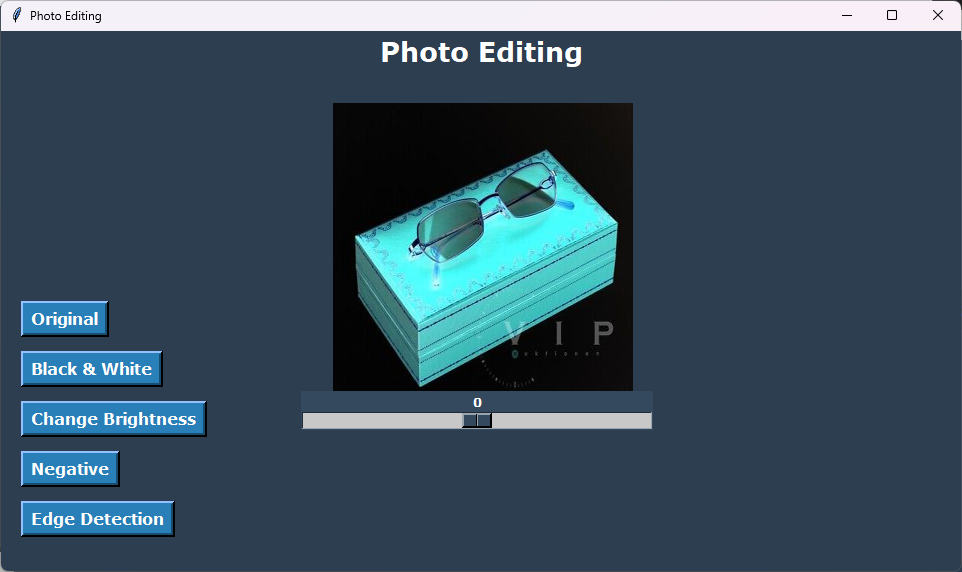
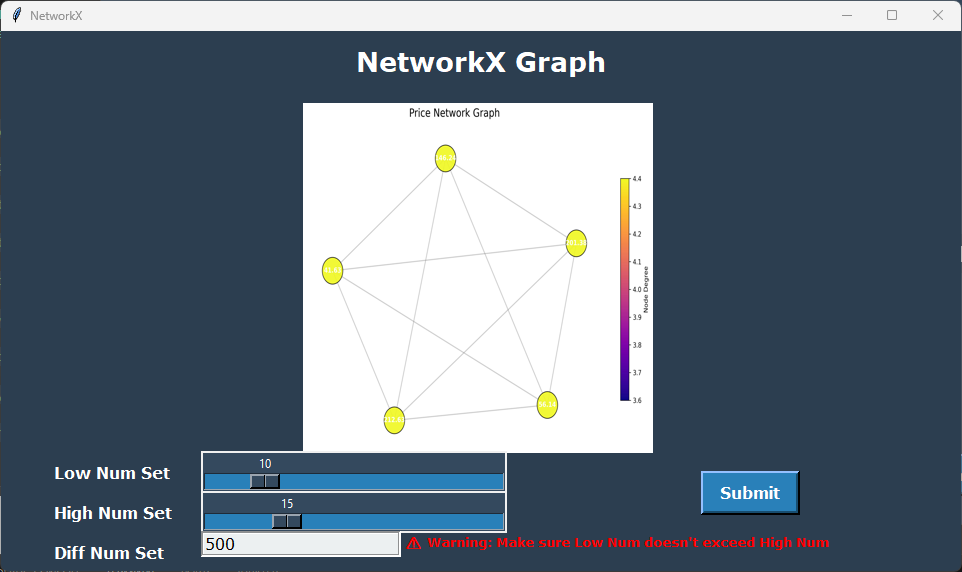
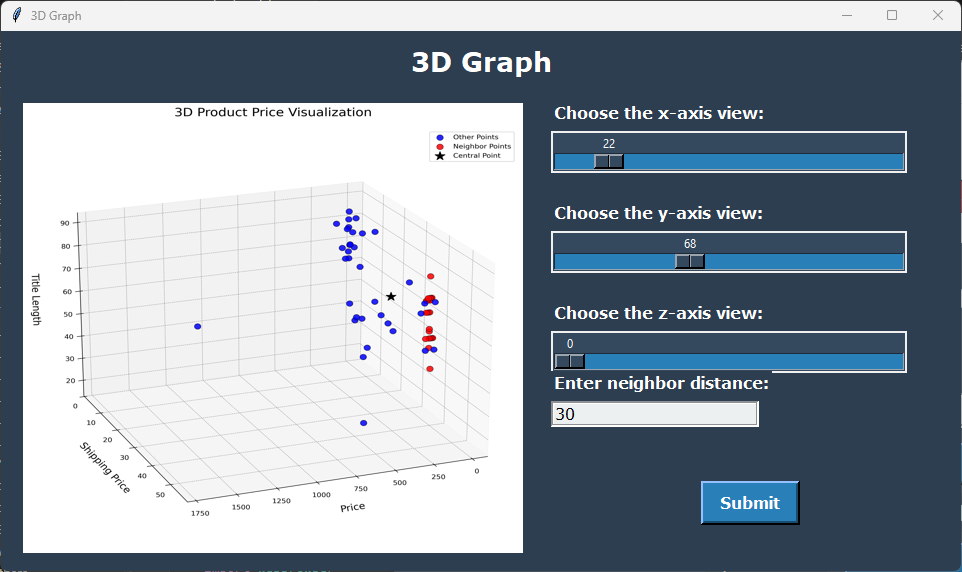
An interactive Python-based system that scrapes live data from eBay, analyzes item and seller information, and visualizes insights through custom-built GUIs and advanced graphs. Features real-time search, multiple visualization types (heatmaps, 3D comparisons, NetworkX analysis), item inspection with rating analytics, and integrated photo editing tools with various filters.

Problem & Solution

Problem:

eBay data analysis was limited to basic browsing. Understanding price trends, seller patterns, item conditions, and shipping costs across large datasets required manual analysis. There was no visual tool to correlate multiple factors or compare items intelligently.

Solution:

Built a comprehensive scraping and visualization system that automatically collects live eBay data, processes it through multiple analytical lens (condition analysis, price correlation, geographic distribution), and presents insights through interactive graphs, heatmaps, 3D visualizations, and rating analytics—all accessed through an intuitive GUI.

Key Features

  • Real-time eBay item search and data scraping with live result navigation
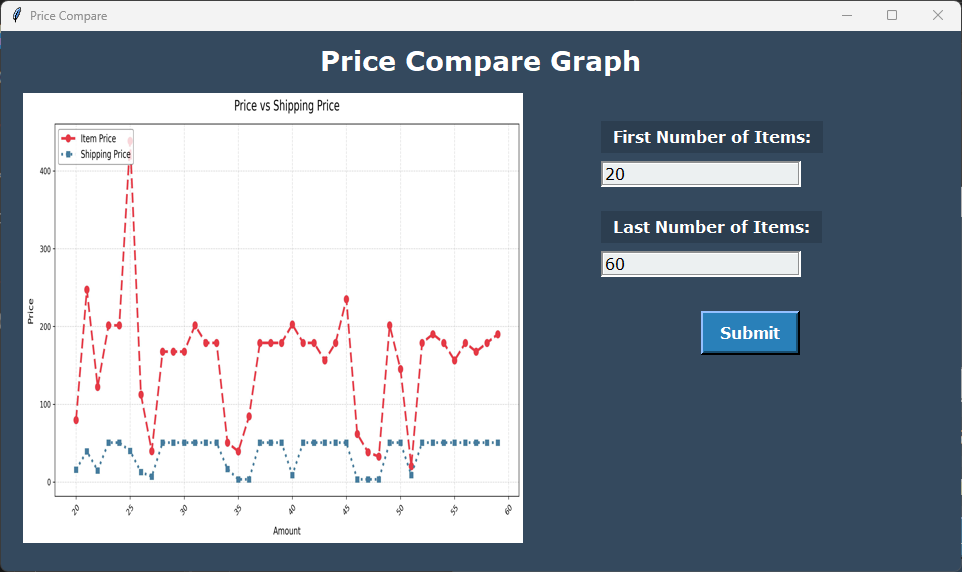
  • Multi-type data visualization: Condition graphs, Seller count analysis, Price vs Shipping correlation
  • Advanced analytics: 3D price/shipping/title-length visualization, Heatmap delivery origin analysis
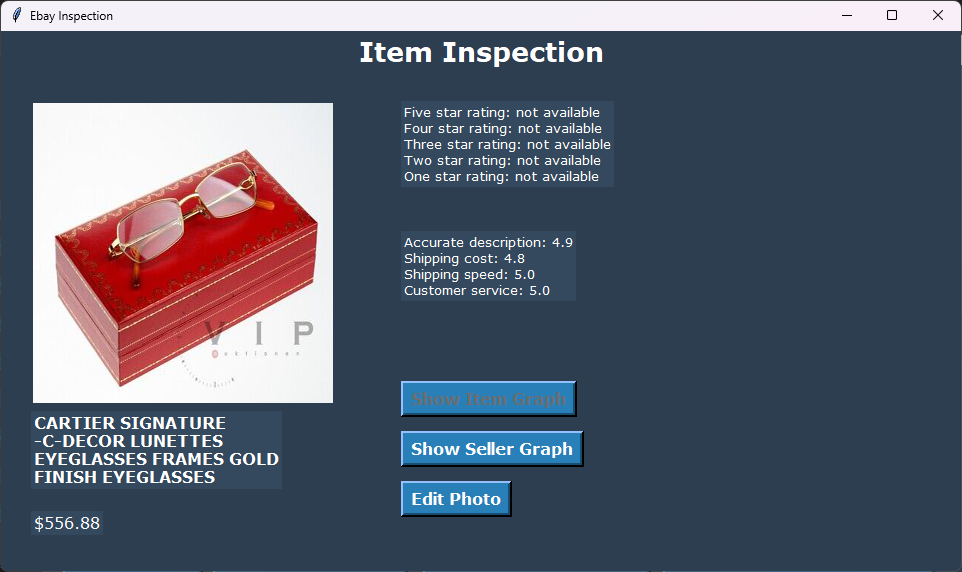
  • Item inspection window with detailed seller/item ratings and pie chart generation
  • NetworkX graph for item relationship analysis based on price similarity
  • Built-in photo editor with 5+ filters (grayscale, brightness, negative, edge detection, reset)
  • User-friendly GUI with interactive controls and customizable data fetching

Technologies Used:

Python Selenium BeautifulSoup SerpAPI Pandas Matplotlib NetworkX OpenCV Jupyter Notebook

Project Metrics

7+ Graph Types
5+ Photo Filters
Real-time Data Scraping
100+ Items Analyzable

What I Learned

  • Advanced web scraping with Selenium for handling dynamic JavaScript-heavy websites
  • GUI design and implementation using Python for interactive user experiences
  • Complex data visualization techniques including 3D plots, heatmaps, and network graphs
  • Data analysis and correlation finding between multiple variables
  • Image processing and filter implementation using OpenCV
  • API integration with SerpAPI for enhanced search capabilities
  • Jupyter Notebook-based project organization and documentation

Comprehensive documentation and README are available in the GitHub repository in a structured format.

Q-Learning Godot Experiment

Reinforcement Learning Godot & Python
Type: RL Simulation Testbed
Duration: Summer 2026
Status: Completed

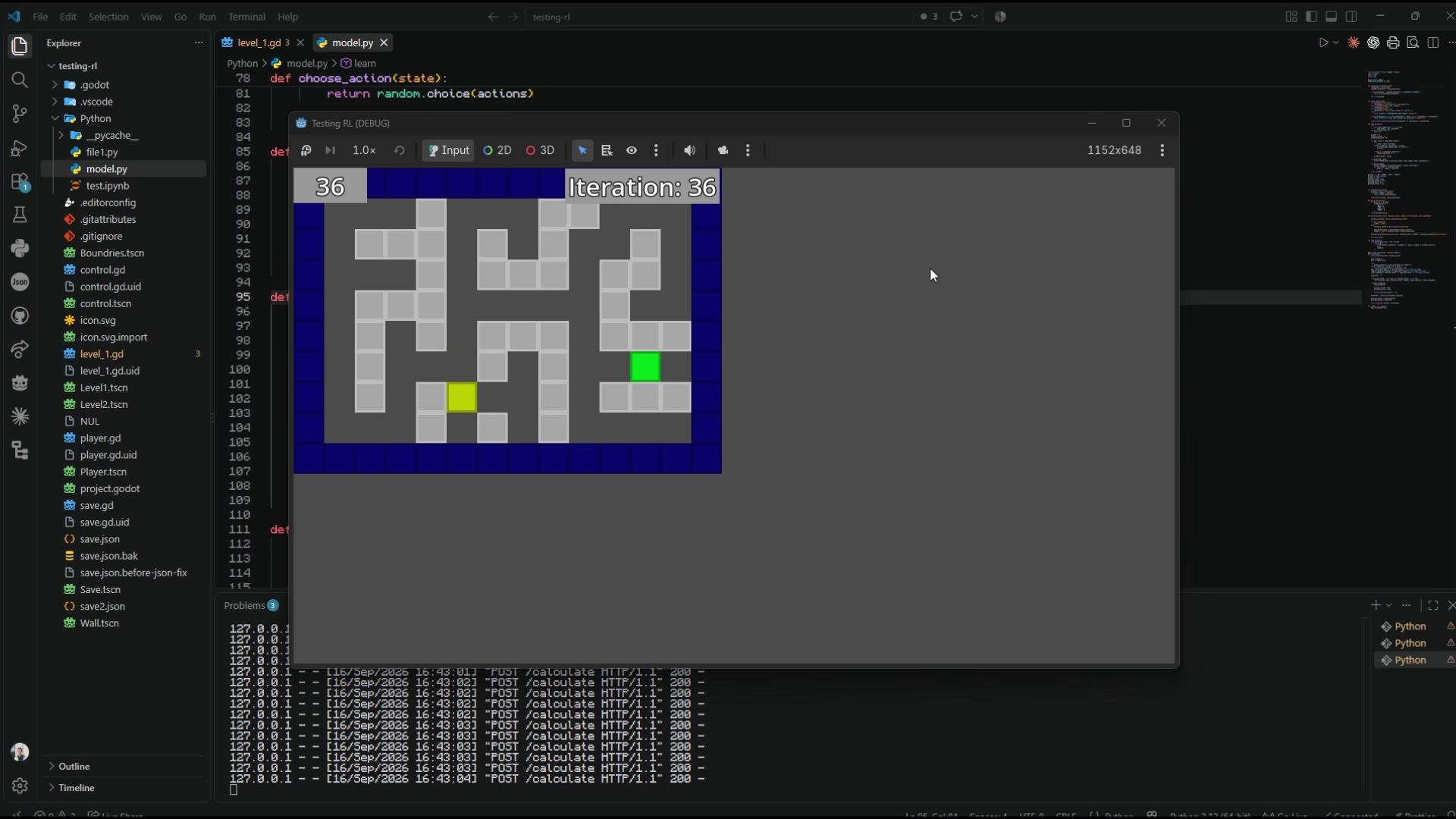
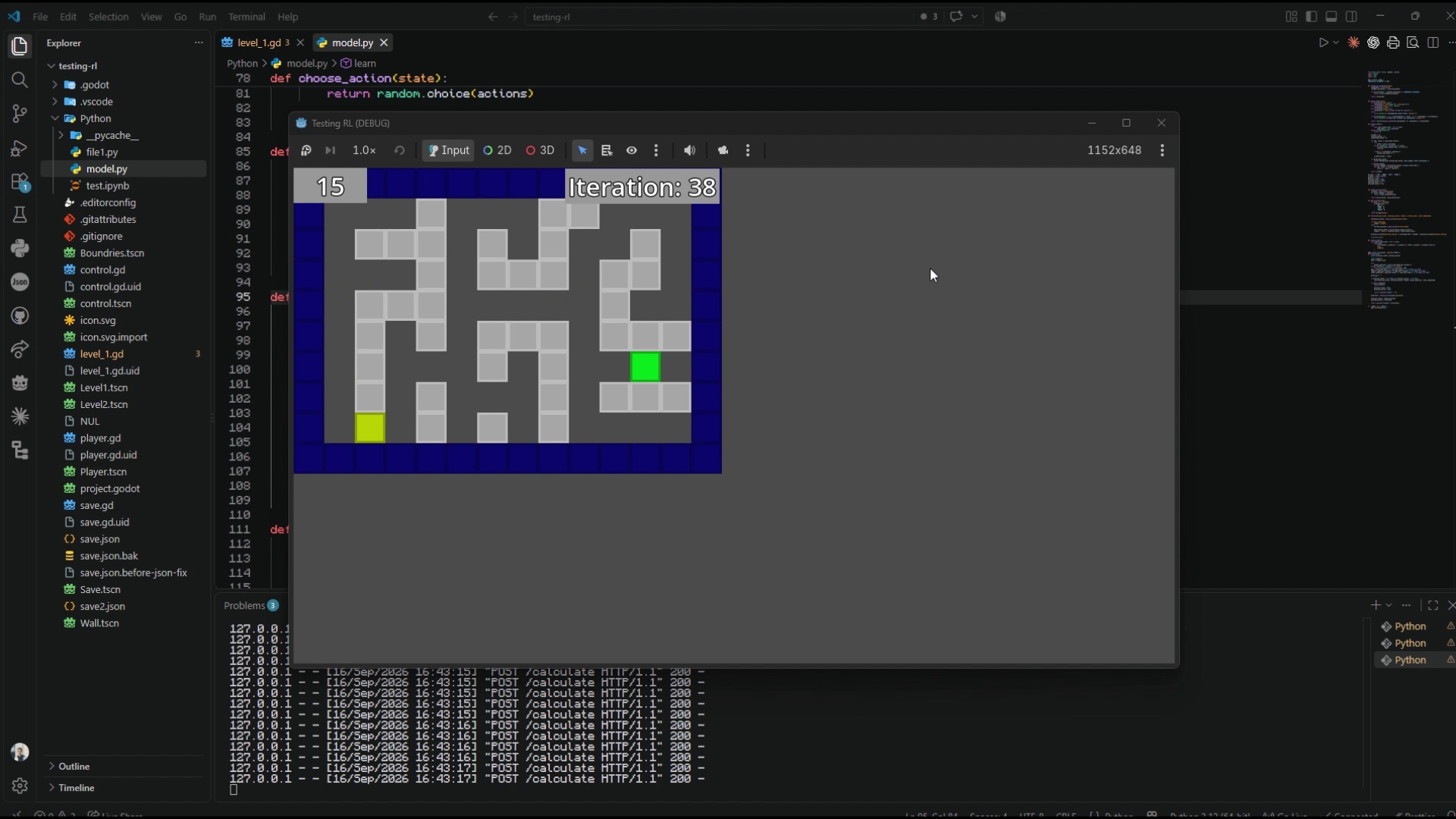
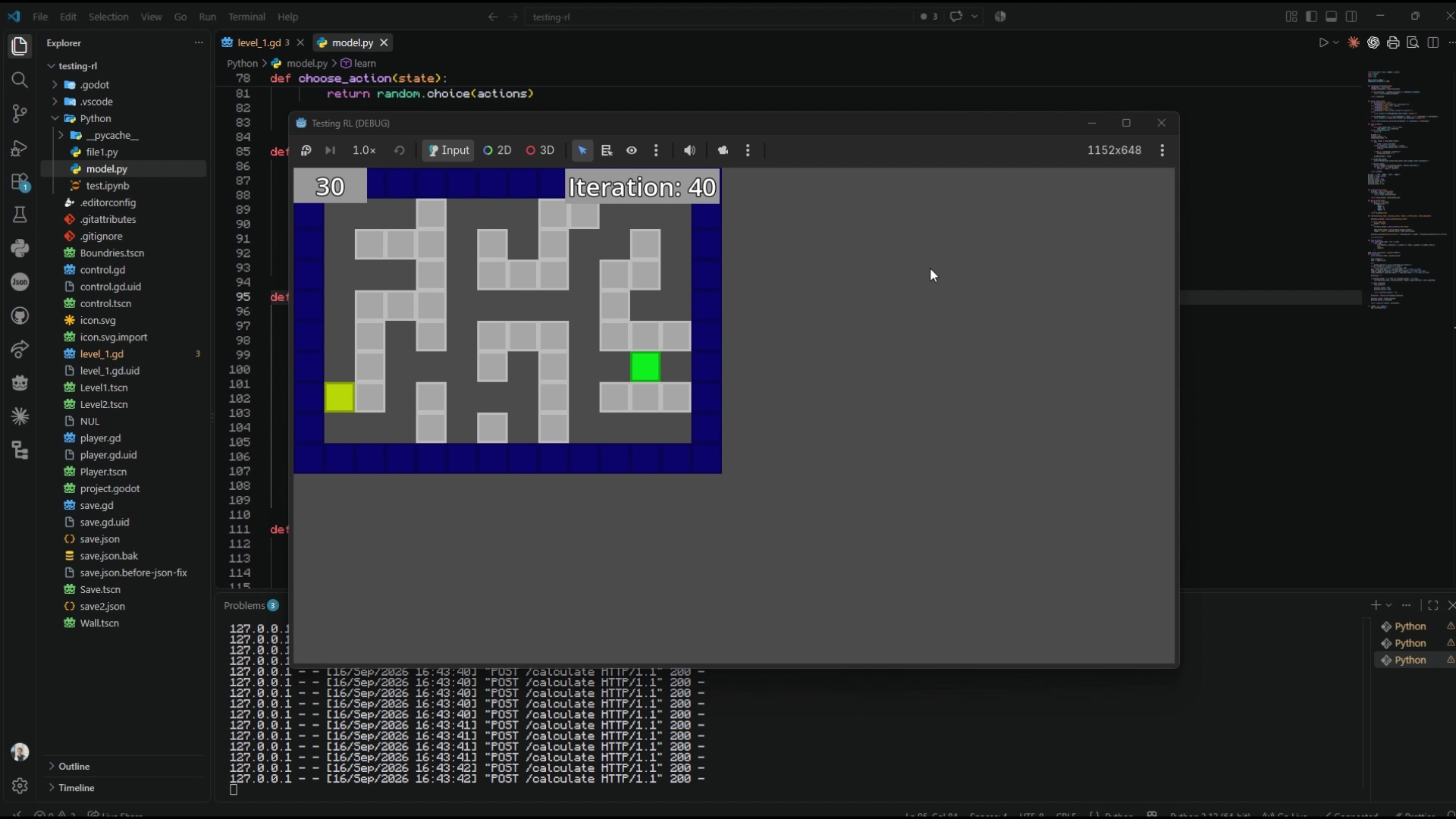
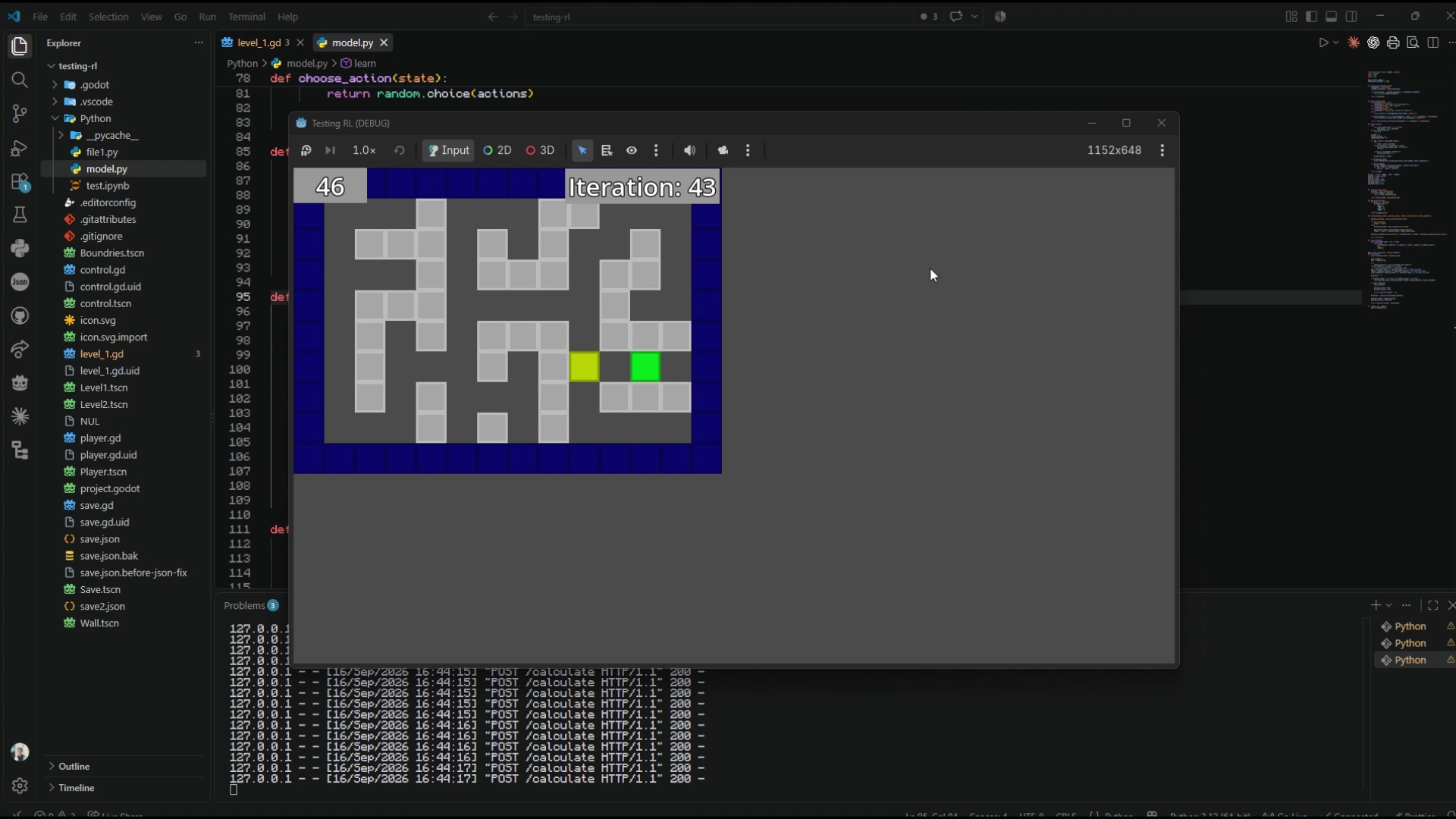
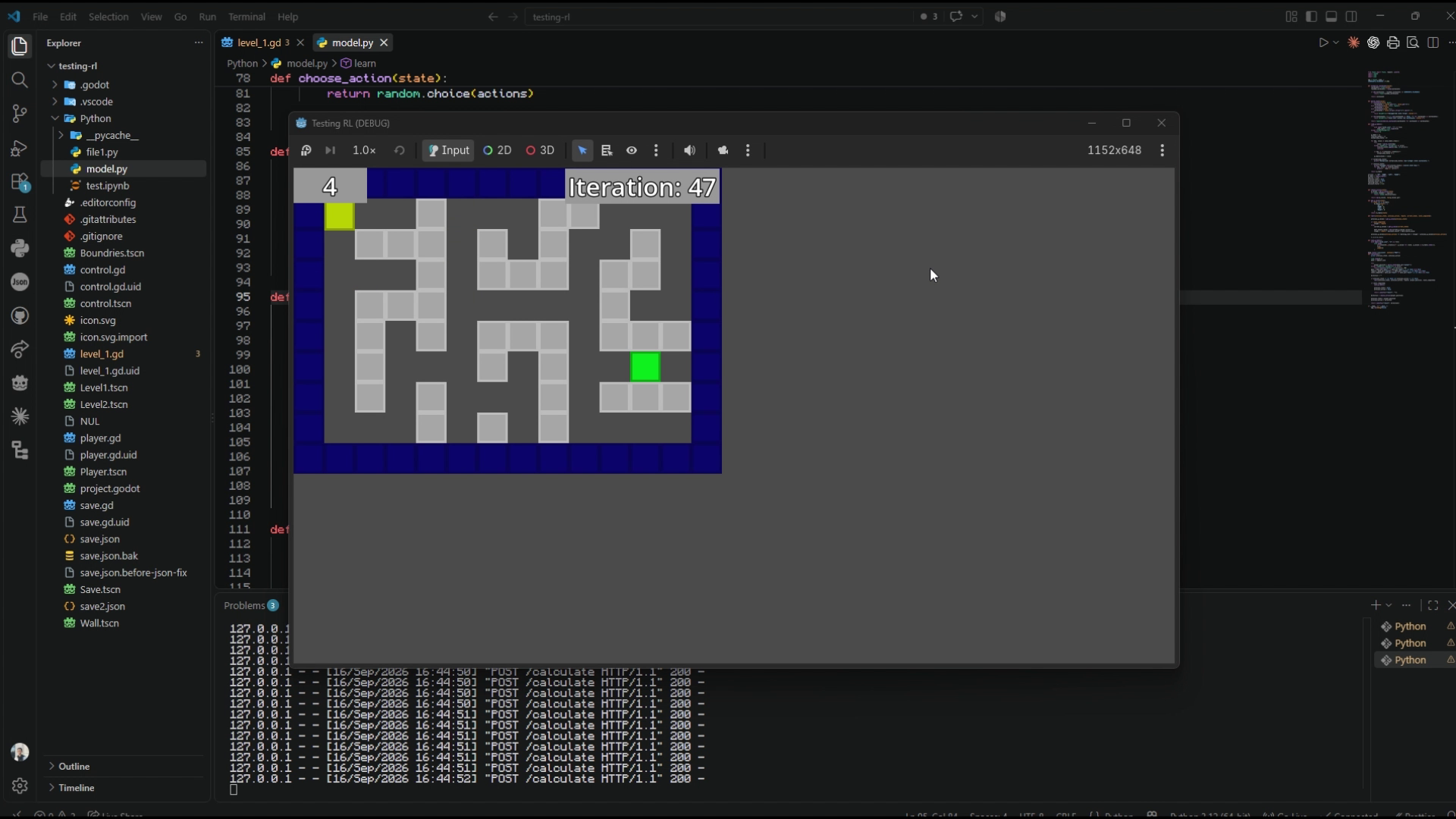
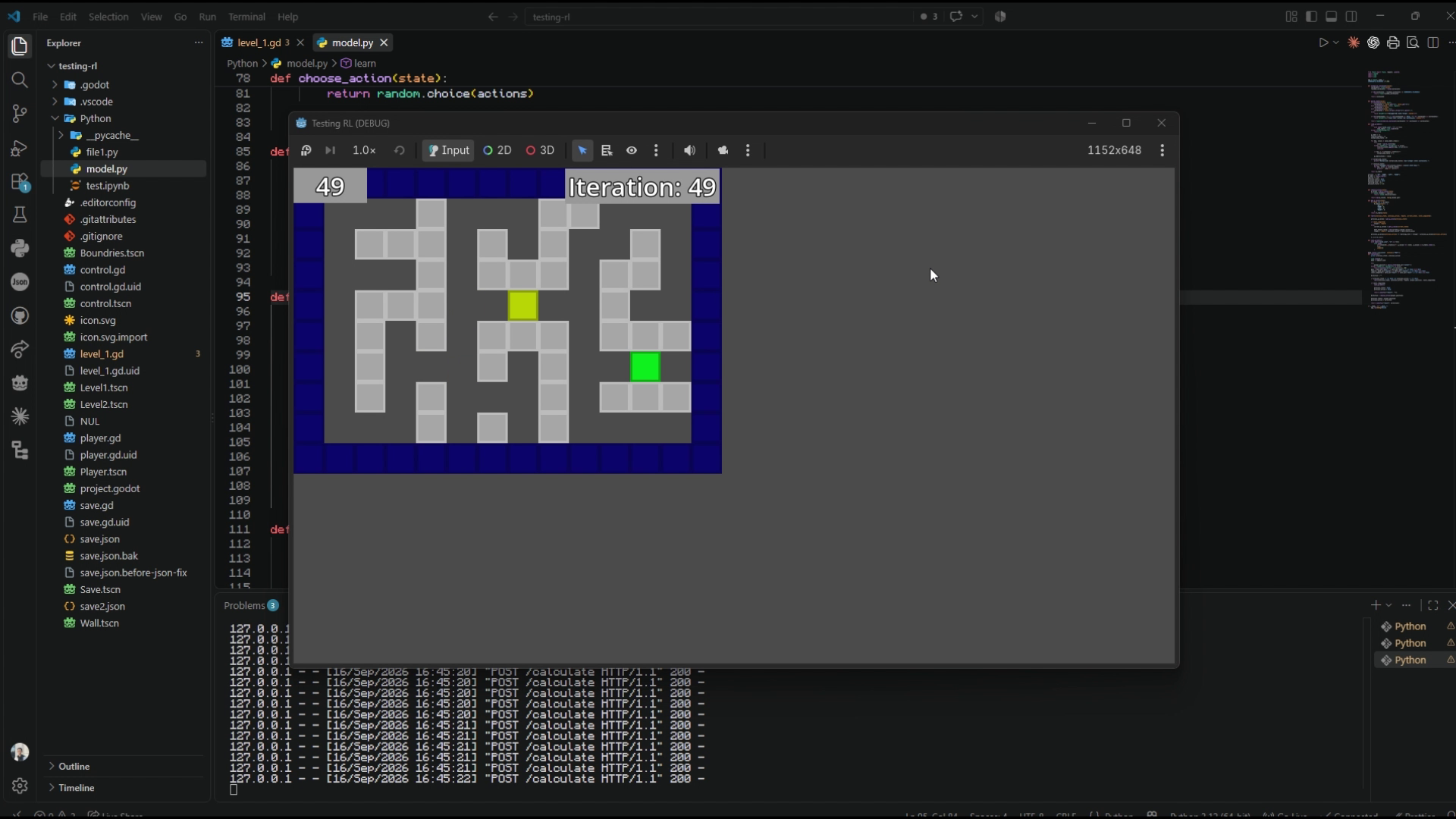
A practical reinforcement learning experiment built with Godot Engine 4 and Python to train an autonomous Q-learning agent to navigate multi-level maze environments. By decoupling the real-time game simulation from the Python learning service via local HTTP endpoints, the system demonstrates how an agent explores states, avoids wall penalties, and updates persistent Q-tables across hundreds of iterations to converge on the optimal path.

Problem & Solution

Problem:

Understanding reinforcement learning through pure mathematical theory or black-box libraries obscures how an agent actually learns policies, responds to penalties, and propagates reward information backward through sequential states in dynamic environments.

Solution:

Engineered an interactive testbed connecting Godot 4 (environment simulation) with a Python Flask service (Q-learning brain). Godot tracks spatial coordinates and collision feedback, sends state vectors via REST API, and executes the selected action while Python updates and saves Q-tables in real time.

Key Features

  • Decoupled Architecture: Client-server model connecting Godot 4 simulation with a Python Flask backend via HTTP REST endpoints
  • Epsilon-Greedy Exploration: Balances 25% random exploration with 75% exploitation of the best-known Q-values (α = 0.1, γ = 0.9)
  • Incentive & Penalty Rewards: -1 step penalty (encouraging shortest routes), -5 wall collision penalty, and +100 terminal goal reward
  • Multi-Level Q-Tables: Dedicated persistent JSON state-action tables for Level 1 and Level 2, saving learned policies to disk
  • Visual In-Engine Telemetry: Real-time on-screen step counters, iteration tracking, and reward feedback in the Godot viewport
  • Manual Override Controls: Keyboard controls (WASD / Arrows) allowing developers to explore maze geometry manually without stopping the training service

Technologies Used:

Python 3 Godot Engine 4 GDScript Reinforcement Learning Q-Learning Flask REST API JSON Persistence

Project Metrics

Q-Learning RL Algorithm
Godot + Flask Decoupled Stack
2 Maze Levels
50 Max Steps/Episode

What I Learned

  • Core Reinforcement Learning principles: States, actions, reward modeling, and Bellman update equations
  • Tuning exploration versus exploitation trade-offs using epsilon-greedy parameter schedules
  • Shaping reward functions to prevent infinite agent oscillation and enforce shortest-path convergence
  • Designing low-latency communication between game engines and Python machine learning services
  • Serializing and managing persistent Q-tables across distributed training episodes

Complete Godot 4 scenes, Python Q-learning backend, and video preview available in the GitHub repository.

Data Visualization Dashboard

Data Analytics
Type: Interactive Dashboard
Duration: 3 weeks
Status: Completed

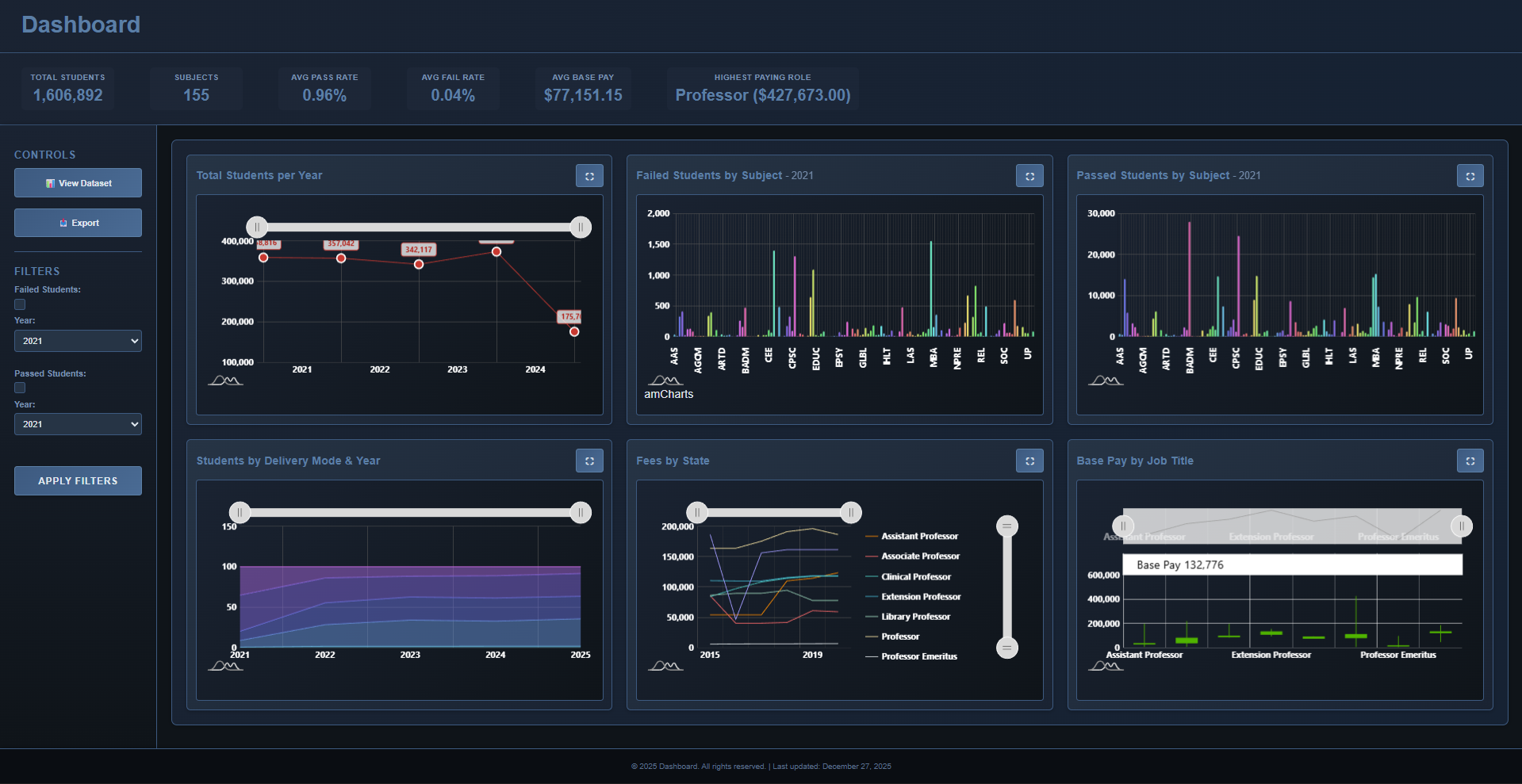
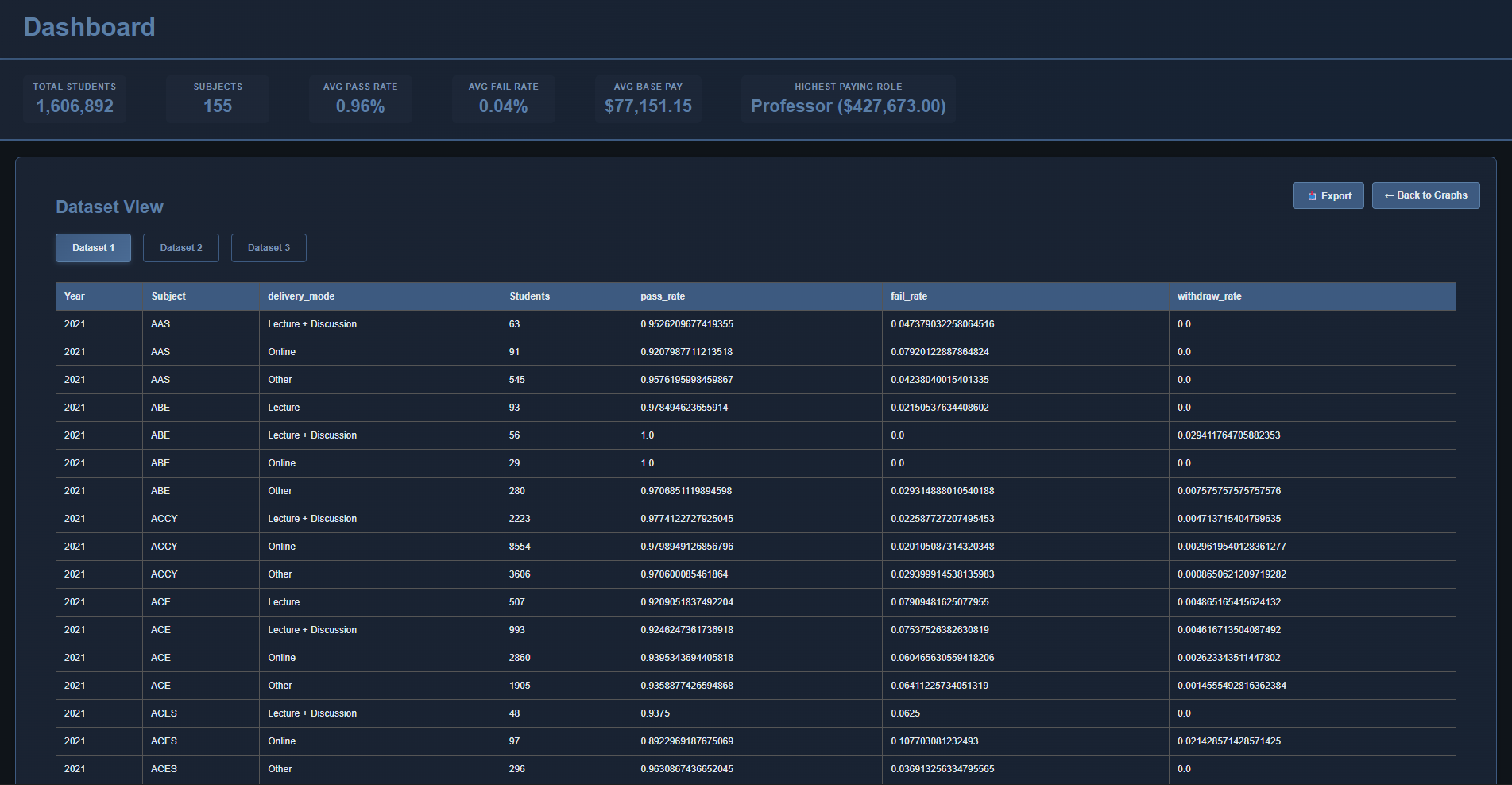
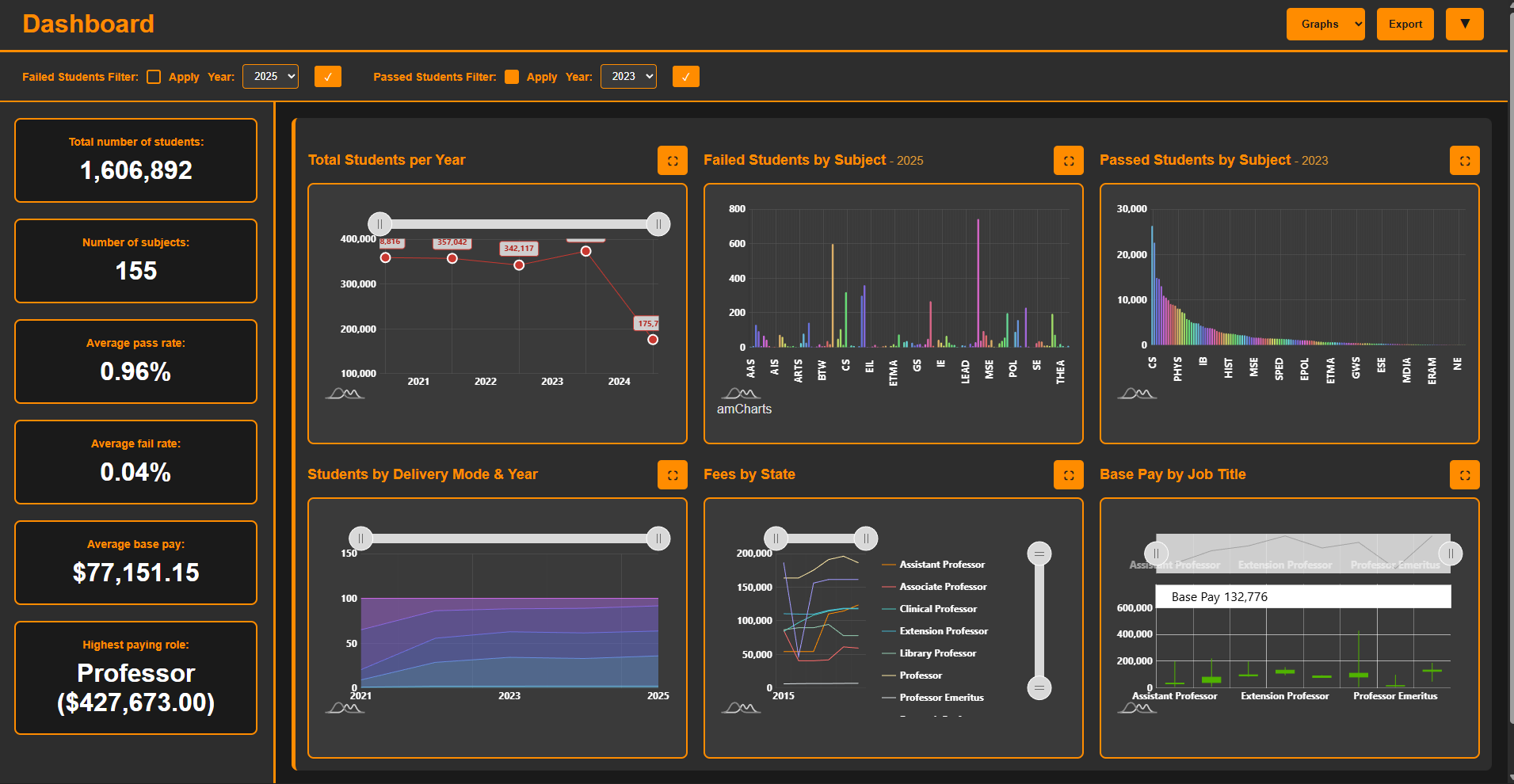
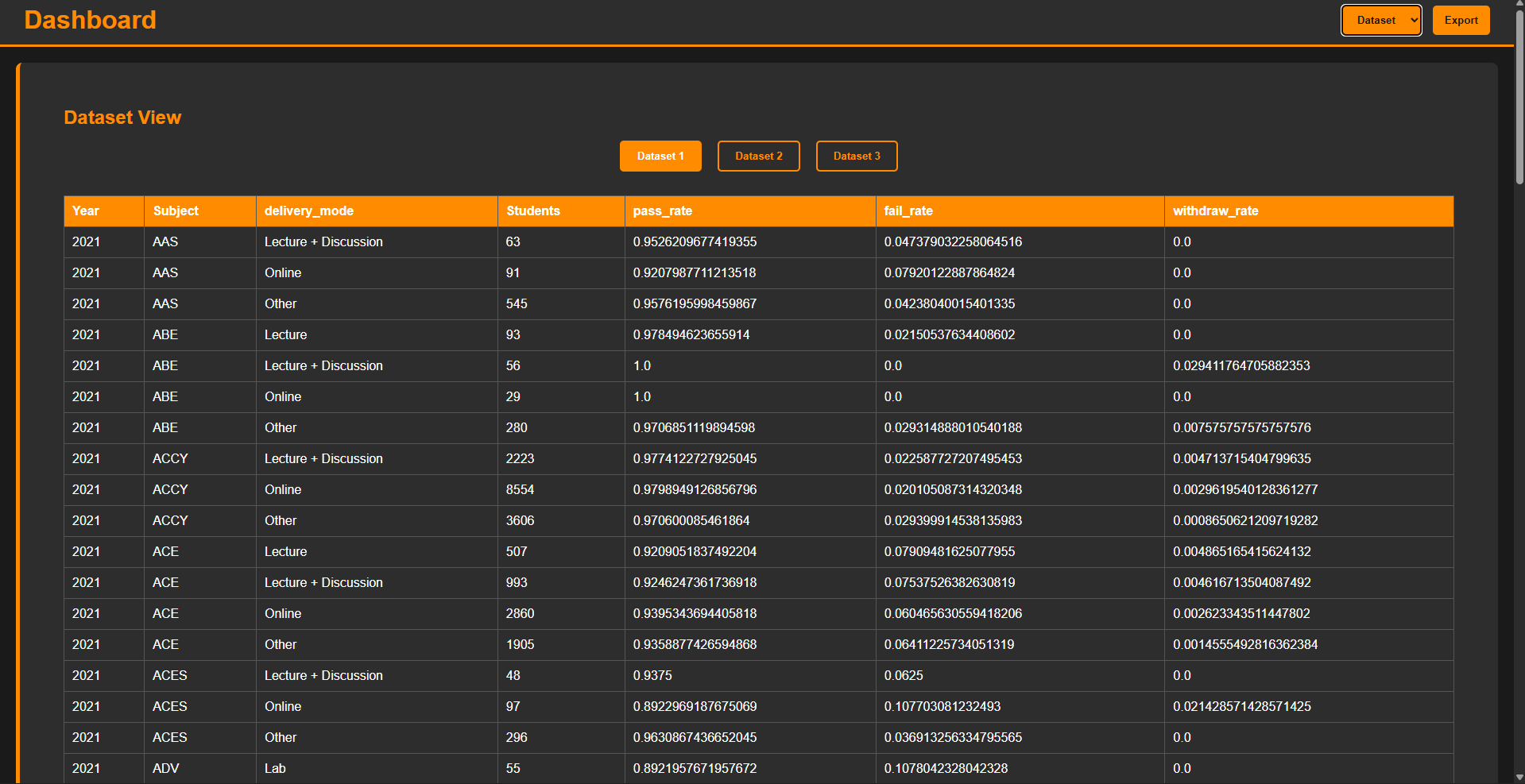
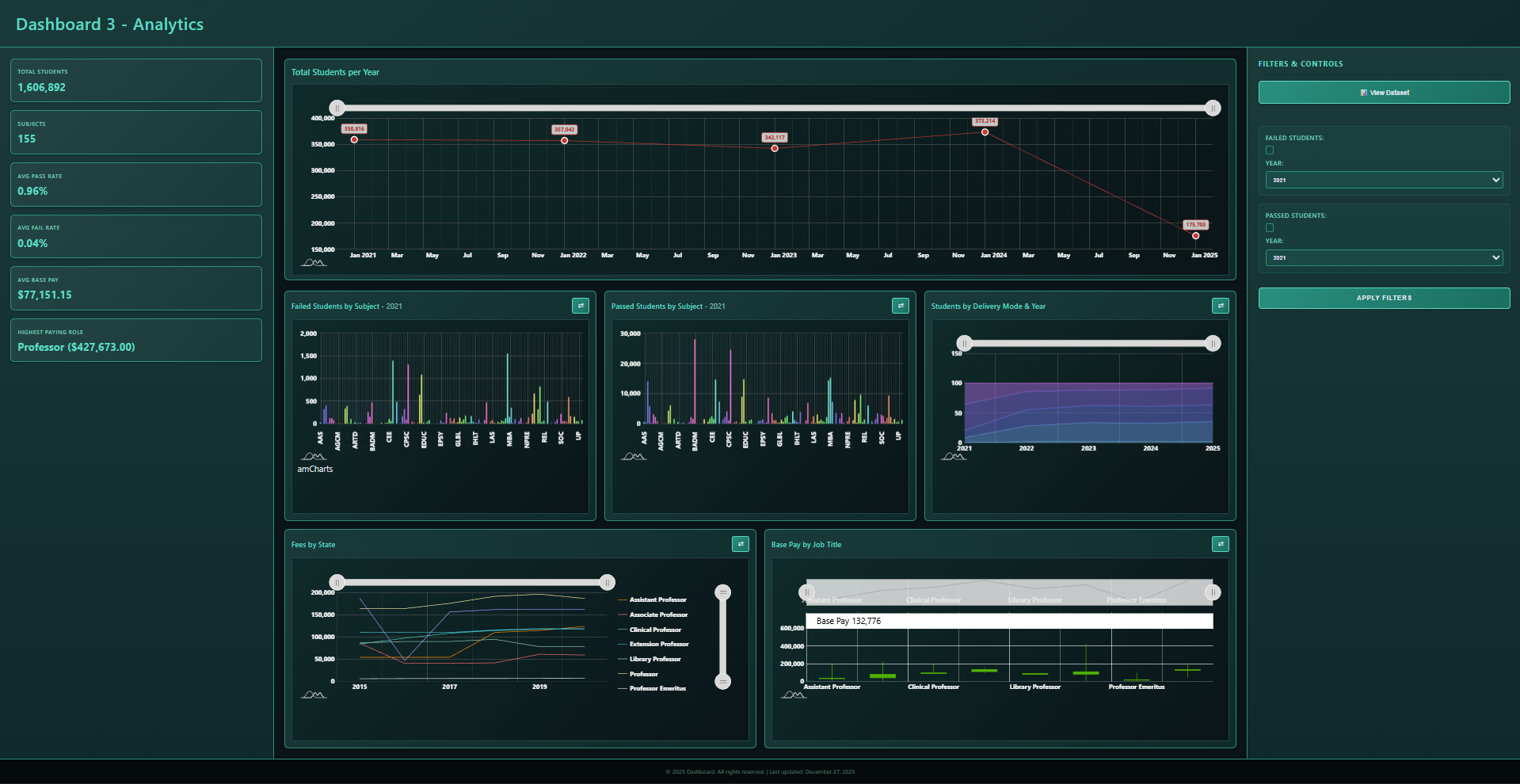
A comprehensive data visualization dashboard built with HTML, CSS, and JavaScript, featuring AmChart for advanced interactive charts. The project includes Python Jupyter notebooks for data preprocessing and cleaning, demonstrating end-to-end data pipeline integration with responsive, real-time visualizations.

Problem & Solution

Problem:

Raw datasets lack clear visualization, making it difficult to derive actionable insights. Traditional static charts limit interactivity and exploration capabilities.

Solution:

Created an interactive dashboard with multiple chart types powered by AmChart, combined with Python data preprocessing pipelines to transform raw data into meaningful, explorable visualizations.

Key Features

  • Multiple interactive chart types (line, bar, pie, heatmaps, etc.)
  • Real-time data filtering and dynamic updates
  • Responsive design across all devices
  • Data preprocessing with Python Jupyter notebooks
  • Drill-down analytics and detailed insights
  • Export functionality for reports

Technologies Used:

HTML5 CSS3 JavaScript AmChart Python Jupyter Notebook Data Cleaning

Project Metrics

6+ Chart Types
2 Contributors
3 Layout Designs
1000+ Dataset rows

What I Learned

  • Advanced data visualization techniques with AmChart library
  • Building responsive, interactive web dashboards
  • Data preprocessing and cleaning pipelines with Python and Jupyter
  • Real-time data binding and dynamic chart updates
  • User experience design for data exploration
  • Integration of frontend visualization with backend data processing

Tick Task

Game Development
Type: Godot Game
Duration: 3 Weeks
Status: Completed

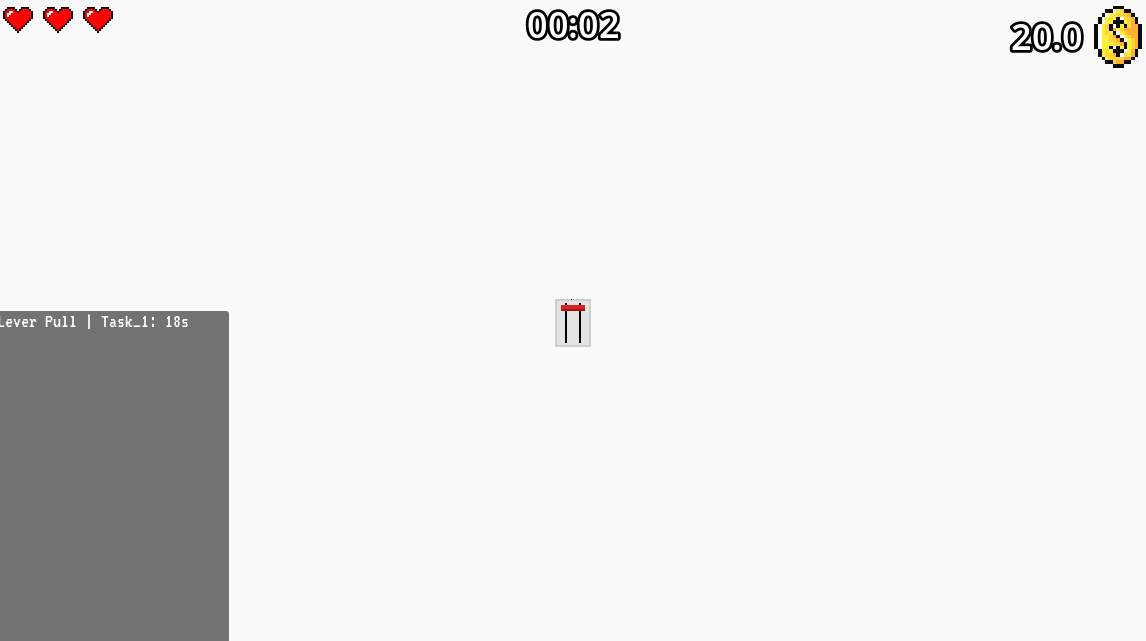
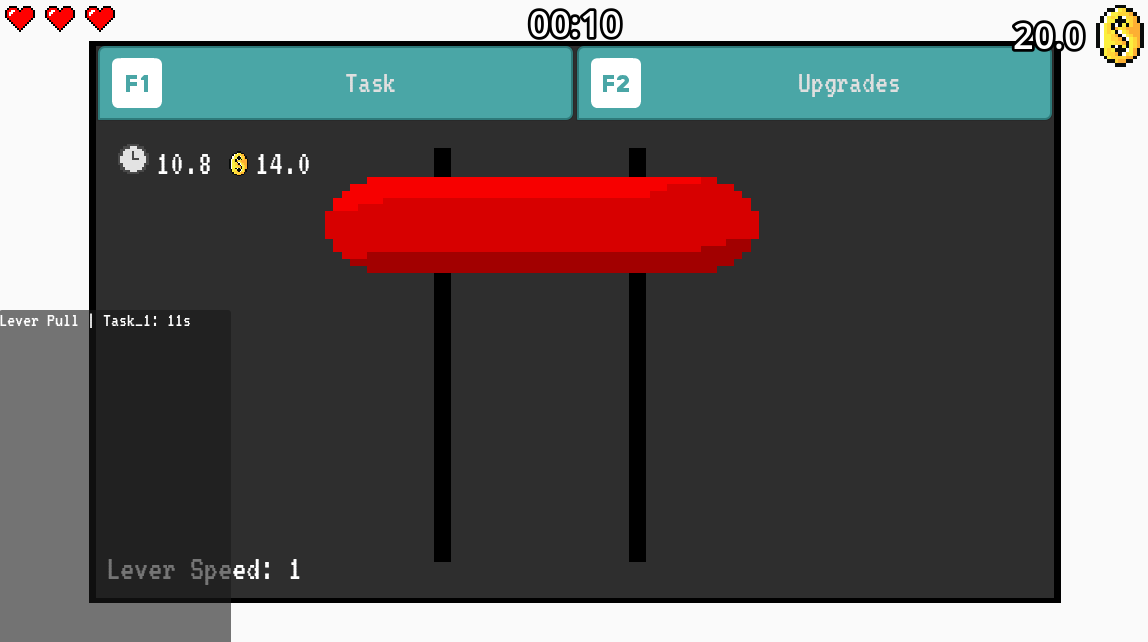
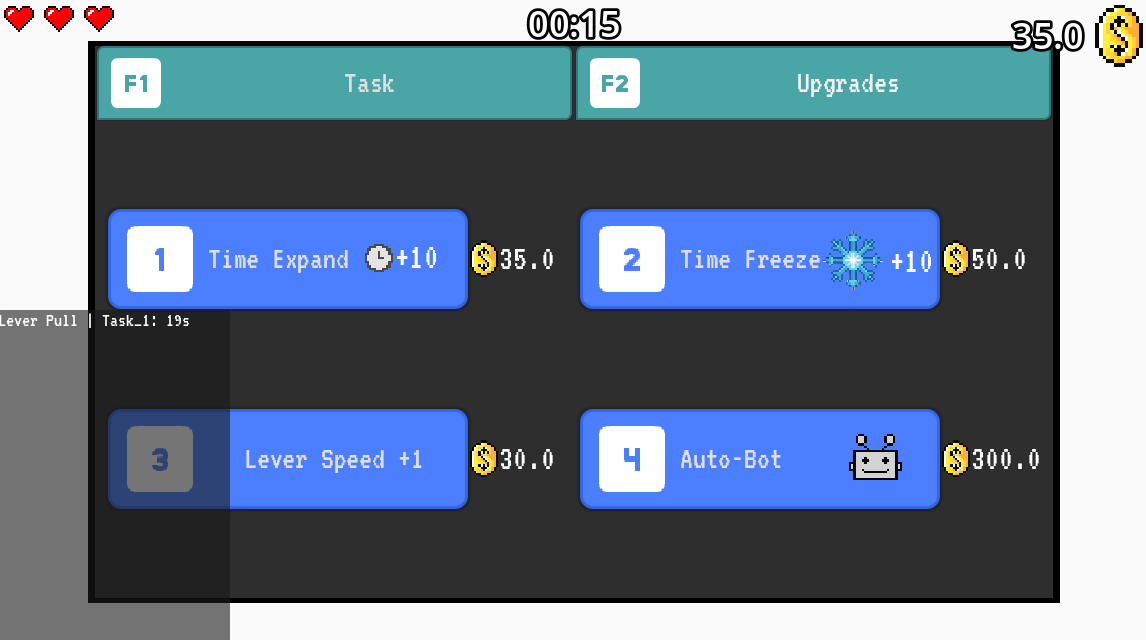
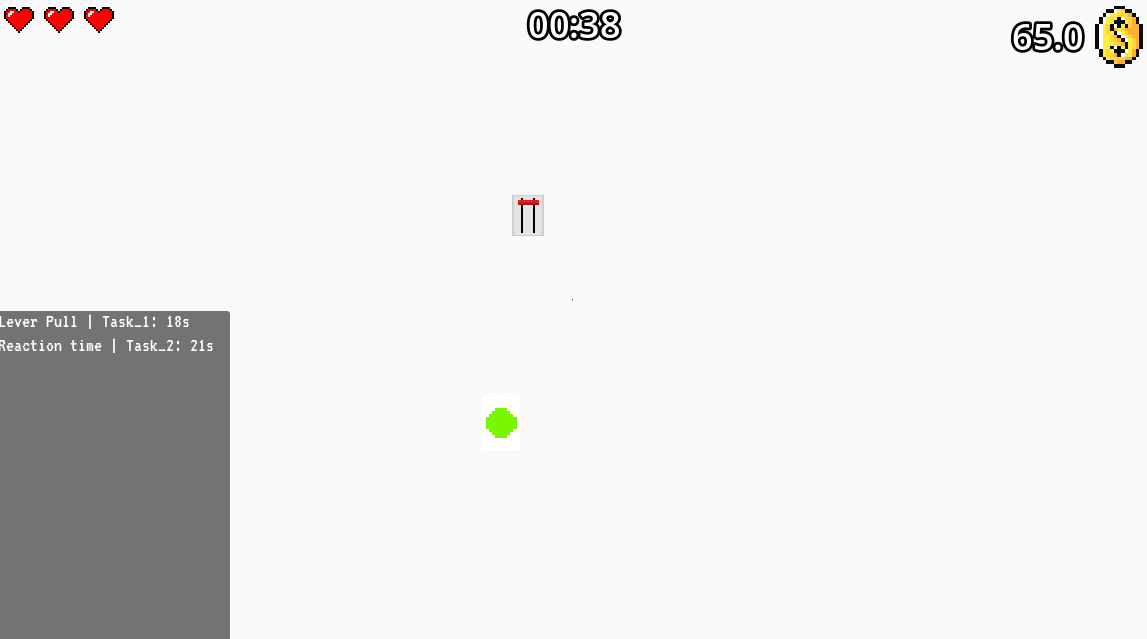
A minimalist yet challenging puzzle game built in Godot 4.4.1. Players must complete a growing list of tasks while managing upgrades, freezes, and autobots under constant time pressure. With a 3-lives system, dynamic economy, and strategic scoring mechanics, every decision impacts survival and score.

Problem & Solution

Problem:

Create an engaging time-pressure puzzle game that balances difficulty scaling with strategic depth, combining real-time task completion with resource management mechanics.

Solution:

Designed a game loop featuring escalating task complexity, purchasable upgrades that extend time/freeze mechanics, autobots for assistance, and a dynamic economy system that rewards efficient play and punishes poor decisions.

Key Features

  • ⏳ Time Pressure: Balance tasks against a ticking clock with increasing difficulty
  • 🔄 Upgrade System: Purchase time extensions, freeze mechanics, and deploy autobots
  • 💀 3-Lives System: Game ends when all lives are lost, adding tension
  • 💰 Dynamic Economy: Coins, scaling costs, and strategic purchasing decisions
  • 📊 Run Summary: Detailed statistics of upgrades, coins, and tasks completed
  • 🎵 Dynamic Music: Calming intro that intensifies as lives are lost

Technologies Used:

Godot 4.4.1 GDScript Game Design Audio Systems UI/UX

Project Metrics

1000+ Lines of Code
#601 Game Jam Position (Participants:1200)
Dynamic Difficulty Scaling
20+ Unique Tasks

What I Learned

  • Game design principles: difficulty curves, player engagement, and retention mechanics
  • Godot engine architecture and GDScript programming for game logic
  • Audio system integration and dynamic music composition based on game state
  • Balancing economy systems and pricing mechanics for player progression
  • UI/UX design for real-time games with visual feedback and clarity
  • Performance optimization for real-time game loop execution

Automatic Faceless TikTok Maker

AI Automation
Type: Content Generation Tool
Status: In Progress
Progress: 50-75%

An automated system that generates faceless TikTok shorts from simple topic inputs. The system intelligently generates scripts based on the topic, creates natural voiceovers, sources appropriate video content, overlays text, and produces ready-to-upload short-form videos—all with minimal user intervention.

Problem & Solution

Problem:

Creating TikTok shorts manually is incredibly time-consuming, requiring scriptwriting, voiceover recording, video sourcing, editing, and post-production. Content creators need a faster way to generate high-volume, consistent content without appearing on camera.

Solution:

Built an end-to-end automation pipeline that takes a simple topic as input and generates a complete, ready-to-upload TikTok short. The system handles script generation, voiceover creation, video sourcing, text overlays, and final video production—enabling creators to scale content production exponentially.

Key Features

  • Topic-to-video pipeline: Enter a topic and get a complete TikTok short
  • AI prompt generation: Intelligently creates engaging script prompts from topics
  • Automated script generation: Generates full scripts based on created prompts
  • Text-to-speech voiceover: Natural-sounding voiceovers using Google Text-to-Speech
  • Automated video sourcing: Fetches relevant video clips and content for the topic
  • Dynamic text overlay: Places contextual text on videos for engagement
  • Video composition: Combines audio, video, and text into a cohesive short-form video
  • Ready-to-upload output: Produces final videos optimized for TikTok dimensions and format

Technologies Used:

Python MoviePy Selenium Google TTS (gTTS) Video Processing Web Scraping Content Generation

Project Metrics

50-75% Completion Rate
8+ Pipeline Stages
Sub-five-minute Output Time
Scalable Architecture

Learning Outcomes

  • Mastered end-to-end automation workflows and pipeline architecture design
  • Integrated multiple third-party APIs and libraries into a cohesive system
  • Implemented web scraping and automated content retrieval at scale
  • Applied advanced video processing and manipulation techniques with MoviePy
  • Developed intelligent content generation algorithms and prompt engineering
  • Practiced handling asynchronous processes and optimizing performance
  • Gained experience in automation-driven content creation systems

Development Note

This project is actively under development with most core features functional. Additional refinements and optimizations are in progress.

MedSync Pro

C++ OOP
Type: Hospital Management System
Duration: 2 month
Status: Completed

A modular, role-based hospital management ecosystem built with C++18, demonstrating advanced OOP principles. The system features a clean class hierarchy with Doctor, Patient, and Admin roles extending a User base class, implementing role-based access control, appointment booking, prescription management, and secure data persistence through file I/O.

Problem & Solution

Problem:

Hospital systems require complex role separation with different access levels and responsibilities. Managing doctors, patients, and administrators in a unified system while maintaining data integrity and security presents significant architectural challenges, especially with inheritance and polymorphism considerations.

Solution:

Implemented a modular OOP architecture using C++ inheritance to create a User base class with Doctor, Patient, and Admin subclasses, each overriding role-specific methods. Encapsulation protects sensitive data, polymorphism enables flexible role handling, and file persistence ensures data consistency across sessions. Role-based login and access controls enforce system integrity.

Key Features

  • Role-based access control: Doctor, Patient, and Admin login with distinct responsibilities
  • Class hierarchy demonstrating C++ inheritance: User base class with specialized role subclasses
  • Appointment management: Schedule, view, and modify medical appointments with role-based permissions
  • Prescription system: Doctors issue prescriptions; patients view and manage their medications
  • Profile management: Users edit personal information with appropriate validation and encapsulation
  • Admin tools: System administration, user management, data integrity checks
  • File persistence: Data saved and retrieved using C++ file I/O, maintaining state across sessions
  • Encapsulation: Private attributes with public getter/setter methods ensure data safety

Technologies Used:

C++18 OOP Principles Inheritance Polymorphism Encapsulation File I/O Data Structures Modular Design

Project Metrics

15+ Core Classes
3 Inheritance Levels
6 Core OOP Concepts
3 User Roles

Learning Outcomes

  • Mastered object-oriented programming principles: inheritance, polymorphism, and encapsulation
  • Designed and implemented clean class hierarchies with proper abstraction levels
  • Applied role-based architecture patterns for access control and permission management
  • Practiced effective C++ memory management and resource handling
  • Implemented persistent data storage with file I/O operations
  • Understood method overriding and virtual functions for polymorphic behavior
  • Developed modular, maintainable code architecture suitable for scalable systems

Python Market System

Python
Type: Desktop Application
Duration: 8 weeks
Status: Completed

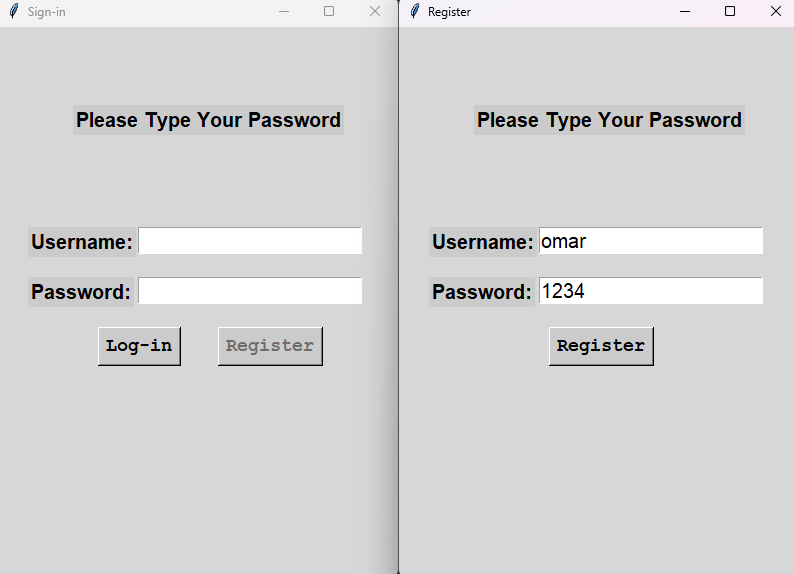
My first Python project - a simple market system built with Python and Tkinter. This project demonstrates foundational Python skills including GUI development, basic file I/O, and fundamental programming concepts through a fun shopping simulator application.
Problem & Solution

Problem:

Learning Python fundamentals by building a practical GUI application that uses basic data structures, file handling, and user interaction concepts.

Solution:

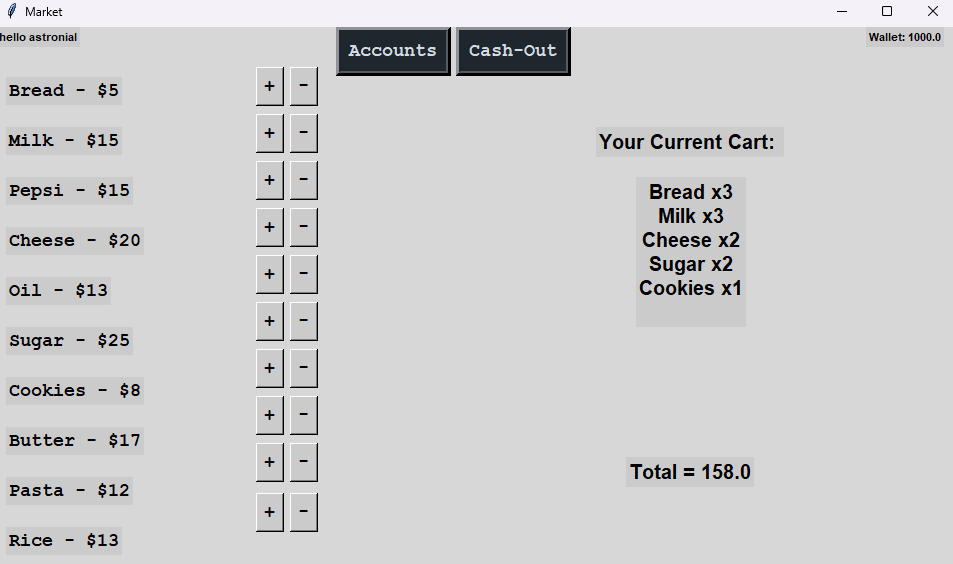
Created a Tkinter-based GUI application with basic user login, product listing, shopping cart functionality, and simple file-based data storage to practice core Python concepts.

Key Features

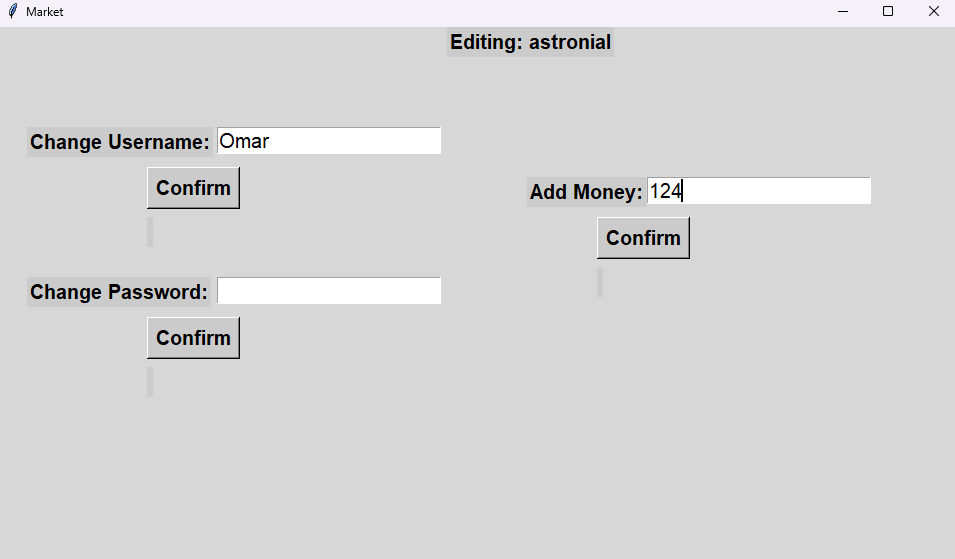
  • Basic Login System: User registration and login with file-based storage
  • Product Listing: Display items with quantities and prices
  • Shopping Cart: Add/remove items and calculate totals
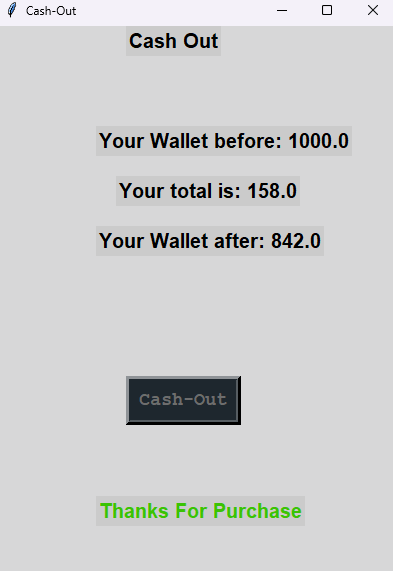
  • Simple Transactions: Basic payment and balance management
  • Account Management: Store user data in text files
  • Tkinter GUI: Multi-window interface for different features

Technologies Used:

Python 3.x Tkinter File I/O Function handling Lists & Dictionaries

Project Metrics

5 GUI Windows
1000+ Lines of Code
6+ Python Concepts Demonstrated
First Major Project

What I Learned

  • Building GUI applications with Tkinter framework
  • Working with files for data persistence (text files)
  • Using lists and dictionaries for data structures
  • Creating multiple windows and managing program flow
  • Event-driven programming and button event handling
  • Basic program organization and function design